2 |
Editing Polysets |
In This Section:
|
|
Polygon Edit palette > Polyset Cleanup 
|
Removing Redundant Polygons |
|
| |
Polyset Cleanup removes all polygons with 0, 1, or 2 vertices, zero area polygons, and redundant polygons. How to Use | |
|
Redundant polygons are polygons in the same polyset that share the exact same vertices and maintain the exact same vertex ordering as at least one other polygon. |
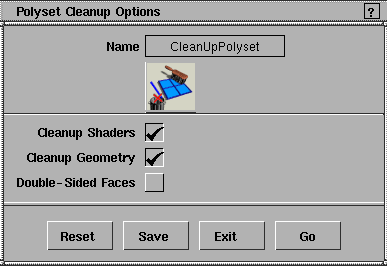
To use the Polyset Cleanup tool, select it from the Polygon Edit palette, or click on the icon. When you select this tool, any active polysets remain active. To cancel a Polyset Cleanup operation, select another tool or function. Polyset Cleanup Options
|
|
For Version 8.,5, the tools Polyset and Polyset (1 sided) were combined into a single tool with one option box. |
Cleanup Shaders
Cleanup Geometry
Double-Sided Faces
|
| Copyright © 1998, Alias|Wavefront, a division of Silicon Graphics Limited. All rights reserved. | Please send questions or comments regarding the documentation to: [email protected] |