|
Curso de Paint Shop Pro
(PSP)
15 Reflejos y Cromo
Step 1 Create a new image, 200 x 100, 64M colours.
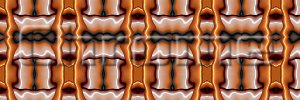
With the Fill tool, select Fill Pattern, Choose a pattern you like, or
try one of the two below . Fill the whole image with the pattern.
Step 2 Now set up some text, preferably large and
chunky. This is a font called Julius. Apply the font, and go straight to
Selections menu. Select Save to Alpha Channel, save it away
Step 3 Use Ctrl-Z to clear the text. Then use
Selections, Load from Alpha Channel to restore your font shaped
selection. Select Feather (Ctrl-H) to 2 pixels. Then select Float (Ctrl-F).
You can now proceed with the standard Cutout sequence Step 4 Now it may not be obvious what's going on
yet, so cut (Ctrl-C) and paste (Ctrl-V) into a new document. And you
will probably want to apply a Sharpen More. Step 5 Convert to greyscale, then sharpen to taste.
Espero que les sirva de algo
la ayudita
|
|
|