|
Curso de Photoshop 6.0
38 Insertar
Texto
Step 1 Open a new layer and type the text in white. And then Render the text
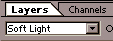
layer. Step 2 Go to the pop down window in the layers palette option and select 'Soft
Light'. Step 3 Now duplicate the layer, by dragging the layer in the Layers palette
to the New Layer button Step 4 Press Ctrl+I to invert the duplicate layer. Your text at this stage
should disappear. Step 5 Using the arrow keys on your keyboard nudge the inverted layer 2
pixels down and 2 pixels to the right. Step 6 You can create various effects by changing the options from the pop
down window. In this image I have set the option to 'Color Burn'.
Espero que les sirva
de algo la ayudita
|
|
|





 at the bottom of the palette.

