|
Curso de Photoshop 6.0
32 Texto
sobre Fuego
Step 1 First of all, open a new document in grayscale mode (grey level).
Type your text in white (the biggest possible) with a black background
color. From the top layer press Ctrl+E to flatten the text and
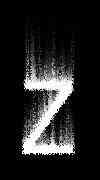
background in one layer. Step 2 Rotate the image 90° clockwise: Image> Rotate: 90 CW. Select: Filter>
Stylize> Wind. Tick 'Wind' and 'From the right'. Go to: Filter> Stylize>
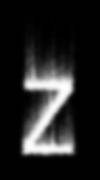
Diffuse, with the default options on. Select Image> Rotate: 90 CCW. Step 3 Good, now go to: Filter> Blur> Gaussian Blur, with a Radius of 2.0
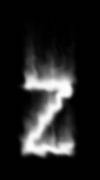
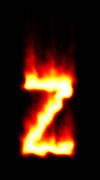
pixels. Step 4 Go to: Filter> Distort> Ripple, with the default options on. Step 5 Next, select: Image> Mode> Indexed Color, and then Image> Mode> Color
Tables, choose 'Black Body'. If you have problems with colors, that
means you did not start in Grayscale mode (Image> Mode Grayscale).
Espero que les sirva
de algo la ayudita
|