Curso de Photoshop 6.0
29 Debajo
del Agua
|
This tutorial shows you how to fill your pictures with water..
Step 1
Create a new document: File> New (400 width, 200 height).
Fill the background layer with 50% gray: Edit> Fill> 50%
grey.
Step 2
Create a new layer. Insert anything you like here - I
put some text for this example. I used Lighting Effects on
the text to give it a 3-d look: Filter> Render> Lighting
Effects
Step 3
Create a new layer above the text layer. Fill it with
white: Edit> Fill> White.
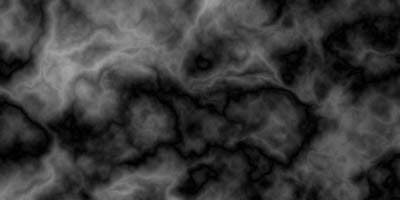
Filter> Render> Difference Clouds - make sure black and
white are the foreground and background colors [D] before
doing this: Image> Adjust> Equalize... Then do some more 'Difference
Clouds' until you like this cloudy layer. White Layer
after Difference Clouds Filters.
Step 4
Change the color of the layer by adjusting the Hue/Saturation:
Ctrl-U. When you have a color you like click OK. Move the
'Opacity' slider for this level to about 60%.
Step 5
Create a new layer above all other layers. Fill it with
white. Hit "D" to restore the default colors. Then do a
Difference Clouds, Equalize, and a few more Difference
Clouds. Use a mezzotint filter: Filter> Pixelate> Mezotint,
small dots.
Then Select> Color Range, use the eye drop to choose the
one of the lightest part of this level - this should
change the foreground color to this color. Now do a Select>
Similar .....Invert this selection: Shift-Ctrl-I.......Delete......Ctrl-D
to deselect..... Now change the layer opacity to about 50%
and drag the whole layer to just below the text layer.
|
|
|
Step 6
Choose the bubble layer and use the Lasso tool to delete everything
but the bubbles directly above each letter. Distort what is left using
the: Filter> Distort> Ripple, Size=Large , Amount=100. Press Ctrl-U and
adjust the 'Lightness' to the far right [99%].

Bubbles
Step 7
Ripple the water [size=medium , amount = 100]. Ripple the text [size=small
, amount = 60].

Submerged!!
Step 8
Add a background texture and adjust the Hue, Brightness, Contrast,
etc. will enhance the picture.

Espero que les sirva de algo
la ayudita
|


