|
Curso de Photoshop 6.0
14
Animacion agrupada
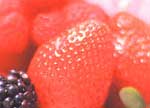
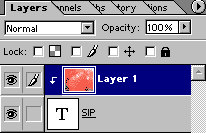
Step 1 Type the text with black color on transparent background. Step 2 Open the image. Step 3 Drag the image on the text layer. The layer palette will look like
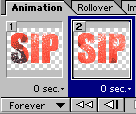
this. Select top layer. Step 4 Layer > Group with Previous (Ctrl+G) Step 5 File > Jump To > Image Ready 3.0 Step 6 Make sure that top layer in the layer palette is selected. Save the file with File > Save Optimized or File > Save Optimized As
Espero que les sirva de algo
la ayudita
|
|
|