|
Curso de Photoshop 6.0
5 Boton
Tema
Step 1 Create new file with 130 X 75 pixels, 72 PPI and white background. (It
is just for tutorial. Real web button will be much smaller then this.
But the procedure will remain same.) Step 2 Select Ellipse Marquee tool. Drag it on the file. Create new layer
and fill the selection on the new layer with black. Name the layer as
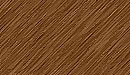
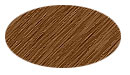
base. Step 3 Open the desired texture file. Select Move tool. Drag the image on
the button file and adjust so that black ellipse will get properly
covered with texture. In the layer palette you will get texture layer.
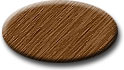
Keep this layer selected. Step 4 Layer > Layer Style > Bevel & Emboss + Drop Shadow Step 5 In the place of texture you can take any picture to make the buttons
which will perfectly suitable for the theme of your web.
Espero que les sirva de algo
la ayudita
|
|
|