4 Dibujo
Sobre Texto
Step
1
Create new file with desired size, 72 PPI and white
background. Keep black as foreground color.
Type the text

Step 2
Below are images we will use: 'Day' picture and 'Night'
picture.
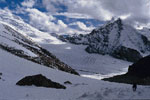
Day picture |
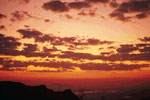
Night picture |
Step 3
Figure 1: Drag the night image on the file
Layer > Group with Previous (ctrl+G)
The Layer Palette will look like this. Name the layer
'Night'
Figure 2: Drag the day image on the file. Name the
layer 'Day'
The Layer Palette will look like this
Figure 3:Drag the day below the night layer
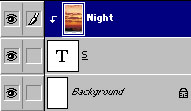
Figure 1 |
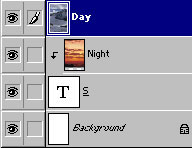
Figure 2 |
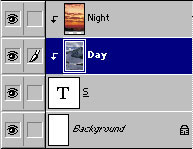
Figure 2 |
Step 4
Select night layer. Select eraser tool. Choose soft
round brush (we have used 65)
Erase the upper half of the night layer

Step 5
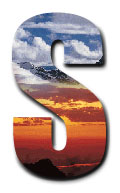
Layer > Layer Style > Bevel & Emboss (outer bevel) +
Drop Shadow
|
|
|
Espero que les sirva de algo
la ayudita


