For Stretch, create new file.
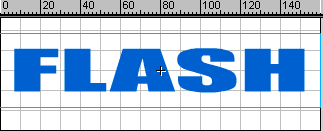
Type the text using Text tool. Convert into symbol using F8 key. Cut and
paste the symbol to bring it to the center of the stage.
In the time line keep the pointer on 20 and right click. Select insert
keyframe.
Select 20 th frame.
Modify > Transform > Scale or select scale icon from standard toolbar
Stretch the text.
Step 2
In the time line keep the pointer between 1 and 20 and right click.
Select Create Motion Tween.
In the time line keep the pointer on 40 and right click. Select insert
Blank keyframe.
Select 1 st frame. Copy and paste it on the 40 th frame.
In the time line keep the pointer between 20 and 40 and right click.
Select Create Motion Tween.
Step 3
For Fade, create new file.
Type the text using Text tool. Convert it to symbol.
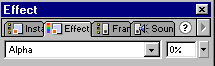
Follow the stretch method. Select 40 th frame. In the effect palette
select Alpha. Bring it to 0%.
Step 4
Add 10 more frames and on the 50 th frame , bring alpha to 100%
Modify > Transform > Flip Horizontal
Create Motion Tween.
Step 5
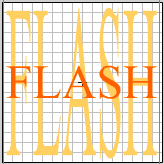
For Stretch & Fade, create new file.
Type the text using Text tool. Convert it to symbol.
In the time line select 50 th frame and right click. Select Insert Frame
to keep the text same for 50 frames.
Create second layer. Drag or copy the same symbol.
If you want to use different font, type the text. Convert it to symbol.
Change the color of the text using tint option from effect palette.
Drag layer no 2 below layer no 1.
Step 6
In the time line, right click on 25 th frame. Select Insert Key Frame.
Select 25 th frame.
Modify > Transform > Scale or select scale icon from standard toolbar.
Stretch the text vertically.
Add 25 more frames and use the fade method to fade the text.
Create Motion Tween.