Curso de Flash
Color animation
Step 1
You need to change the color at the specific interval for this
project.
Create a new file.
View > Rulers
View > Grid > Show Grid
View > Grid > Edit Grid (10 X 10 px)
Step 2
Drag the horizontal & vertical guide lines to get the center.
View > Guides > Lock Guides
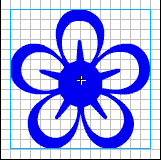
Create the shape or get it from any symbol font. If it is font, break it
apart.
Modify > Break Apart
Select the shape.
Insert > Convert to Symbol
Step 3
Insert Keyframe at 10, 20, 30, 40, 50 & 60.
Reduce the size of the shape at 10, 30 & 50.
Create motion Tween.

Step 4
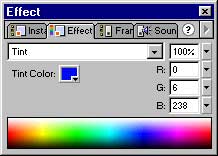
Select the 10 th frame.
Modify > Frame
Select Effect tab.
Select Tint from drop down menu.
Change the tint color.
Step 5
Espero que les sirva de algo
la ayudita
|


