What's New for Designers |
|
|||||||||||||
3 |
Modeling |
In This Section:
Direct Modeling Control Panel |
||||||||||||
|
| ||||||||||||||
|
For more information, see Using the Direct Modeling Control Panel in NURBS Modeling in Alias. |
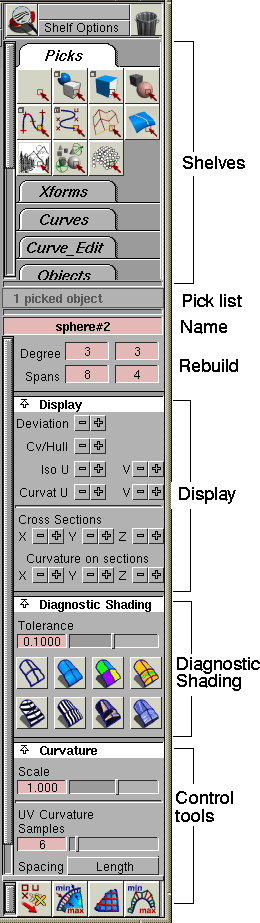
The direct modeling control panel provides quick access to tools and options commonly used in the workflow of technical surfacing: | |||||||||||||
|
|
The direct modeling control panel is standard in AutoStudio, and is also available as a purchasable option. Diagnostic Shading | |||||||||||||
|
| ||||||||||||||
|
For more information, see Using Diagnostic Shading in NURBS Modeling in Alias. |
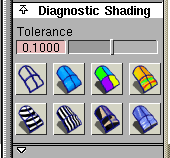
These options in the direct modeling control panel let you work with fast shaded geometry instead of wireframes. The different types of shading give different diagnostic information about your surfaces. The shading modes use highly optimized, high performance routines to allow you to interactively model with shaded geometry. | |||||||||||||
|
|
The transparency control helps you visualize the entire model as you tumble the camera, and allows you to see through shaded surfaces to pick obscured features such as CVs. Surfacing Tools | |||||||||||||
|
| ||||||||||||||
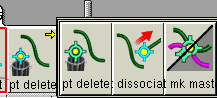
These tools are located at the bottom of the direct modeling control panel: | ||||||||||||||
|
|
| |||||||||||||
|
|
| |||||||||||||
|
|
| |||||||||||||
|
|
Automatically Fit Quality NURBS Curves to Scan Lines | |||||||||||||
|
| ||||||||||||||
|
For more information, see Fitting a Curve to a Cross- section Line in NURBS Modeling in Alias. |
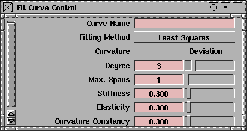
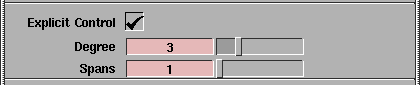
The Curve Fit tool automatically fits quality curves to scanned line data. You can interactively specify the degree and number of spans, use the options in the Fit Curve Control window to control the fit, and see deviation and curvature feedback on the new curve.
Windows > Information > Deviation Table Deviation Table | |||||||||||||
|
| ||||||||||||||
|
For more information, see Examining Deviation Values in NURBS Modeling in Alias. |
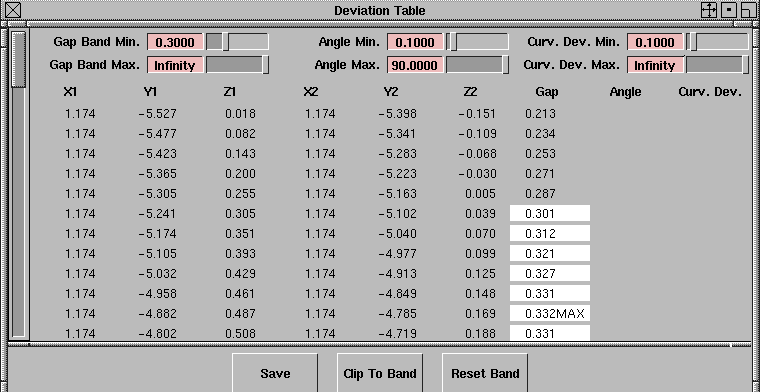
The deviation table shows detailed, numeric deviation values from a locator. You can then scroll through the values, filter ranges, and save the data in ASCII format for further analysis. Use the deviation table to precisely localize and isolate deviations from your tolerance. | |||||||||||||
| ||||||||||||||
Dynamic Section | ||||||||||||||
|
| ||||||||||||||
|
For more information, see Viewing a Dynamic Cross- Section in NURBS Modeling in Alias. |
The Dynamic cross-section tool lets you create cross-section curves by dragging a sectioning plane through surfaces. With the Dynamic cross-section tool you can:
Curve Edit > Break curve at inflections Break Curve at Inflections | |||||||||||||
|
| ||||||||||||||
|
For more information, see Detaching a Curve at the Points of Inflection in NURBS Modeling in Alias. |
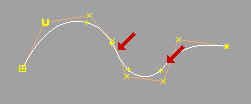
The Break curve at intersections tool automatically detaches a curve at all the inflection points along the curve. | |||||||||||||
|
|
This feature is ideal for model management when transferring data to CAD systems that cannot handle curves with inflections.
Surfaces > Swept surfaces> Birail, Surfaces > Boundary surfaces > Square, "Explicit control" in Birail, Square, Draft and Align | |||||||||||||
|
| ||||||||||||||
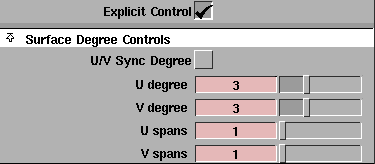
Use the explicit controls in the Birail, Square, Draft and Align tools for manual control over how the surface is built to maintain continuity. | ||||||||||||||
|
For more information, see Sweeping a Curve Along Two Paths with Birail and Building from Four Boundary Curves with Continuity in NURBS Modeling in Alias. |
| |||||||||||||
|
For more information, see Using Draft, Flange and Collar in NURBS Modeling in Alias. |
| |||||||||||||
|
For more information, see Aligning Curves and Surfaces in NURBS Modeling in Alias. |
Surfaces > Boundary surfaces > Square Build From Corners in Square | |||||||||||||
|
| ||||||||||||||
|
For more information, see Building from Four Boundary Curves with Continuity in NURBS Modeling in Alias. |
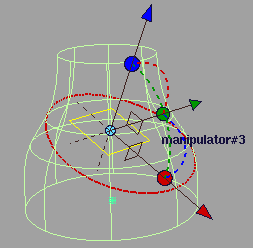
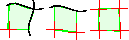
In the Square tool, you can now snap point locators to use as corners in addition to picking boundary curves. Whenever the prompt line asks for a boundary curve, you can use curve snapping to create a corner instead. This is very useful for the "direct modeling" approach to reverse engineering. | |||||||||||||
|
|
You can use one corner and two curves, two corners and one curve, or four corners. While using the Square tool, you can move the corner manipulators, and the surface will update. New Blend Curves Functionality | |||||||||||||
|
| ||||||||||||||
|
For more information, see Blend Curves in NURBS Modeling in Alias. |
Blend curves feature two new improvements:
| |||||||||||||
|
|
Locators > Deviation measures > Draft properties Draft Properties Locator Shows Parting Lines | |||||||||||||
|
| ||||||||||||||
|
For more information, see Adding a Draft Angle Measurement in NURBS Modeling in Alias. |
The Draft properties tool can now show or create geometry for parting lines:
Curve Curvature Improvements | |||||||||||||
|
| ||||||||||||||
|
For more information, see Adding a Curvature Measurement to a Curve in NURBS Modeling in Alias. |
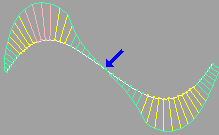
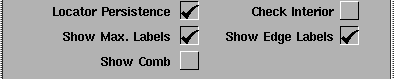
The Curve curvature tool features several major improvements:
Faster "Visual" Option for Evaluation Lines | |||||||||||||
|
| ||||||||||||||
The Surface evaluate, Draft properties, and Cross-sections tools can now use much faster, display-only polylines instead of creating and updating geometry:
Locators > Deviation measures > Draft properties
Control Panel > Cross-sections
Surfaces > Fillet surfaces > Fillet "Knee Radius" Control for Circular Fillets | ||||||||||||||
|
| ||||||||||||||
|
For more information, see Creating a Fillet Between Surfaces in NURBS Modeling in Alias. |
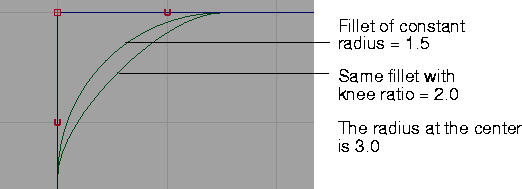
Circular fillets (for both curves and surfaces) have a new Knee Ratio option in their control window that allows you to specify a radius at the center (or "knee") of the fillet as a ratio (or multiple) of the original radius. The resulting fillet will not be truly circular, but its edges (or end points) will correspond to those of a circular fillet with the original radius.
Other Improvements | |||||||||||||
|
| ||||||||||||||
Evaluate > Continuity > Surface continuity Surface Continuity Creates Locator | ||||||||||||||
|
For more information, see Checking Continuity Between and Within Surfaces in NURBS Modeling in Alias. |
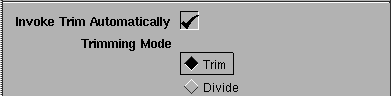
Surface Edit > Automatically Select Trim After ProjectThe Project tool now has an option to automatically select the Trim tool after the project operation.
New Options for Draft/Collar Surfaces | |||||||||||||
|
For more information, see Using Draft, Flange and Collar in NURBS Modeling in Alias. |
The Collar tool (an option of Surfaces > Draft) now uses its own set of tolerances to determine positional and tangent continuity for the curves on surface that are used as input. (Previously, the tool used tolerances from the Construction options).
| |||||||||||||
| Copyright © 1998, Alias|Wavefront, a division of Silicon Graphics Limited. All rights reserved. | Please send questions or comments regarding the documentation to: [email protected] |