2 |
General Enhancements |
In This Section:
Documentation Enhancements |
|
| |
Version 9 features revised and improved documentation:
Symmetry Planes | |
|
| |
|
For more information, see Setting Symmetry on Layers in Basic Tools in Alias. |
Symmetry planes help automate the process of modeling a symmetrical object by interactively displaying the mirrored half as you model. The new symmetry features allow you to:
View Panel |
|
| |
|
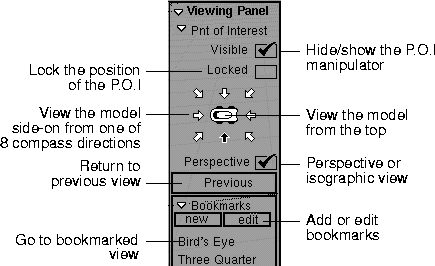
For more information, see Using the View Panel in Basic Tools in Alias. |
The view panel appears when you hold the camera move keys. It lets you:
Layer Categories |
|
| |
|
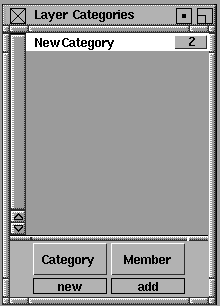
For more information, see The Layer Stats Window in Basic Tools in Alias. |
Layer Categories allow you to group several layers together so that you can use them as a group in any tool that acts on selected layers (for example, symmetry, rendering, and saving).
Place Primitive Manipulator |
|
| |
|
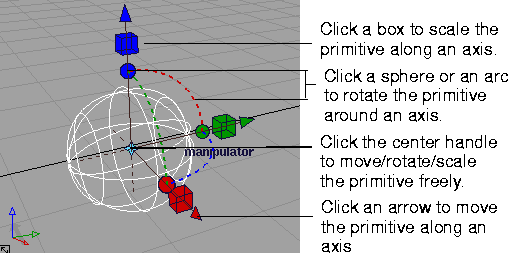
For more information, see Creating Geometric Primitives in NURBS Modeling in Alias. |
Primitives (for example, spheres, cubes and cones) now appear in the scene with a manipulator. You can use the manipulator to immediately move, scale and rotate the object into position without using the Xform tools.
Xform > Modify > Proportional mod Proportional Mod Control Window |
|
| |
|
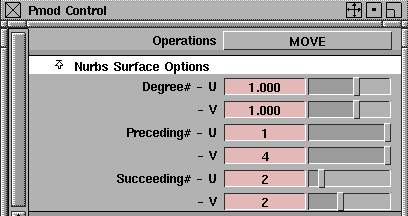
For more information, see Reshaping Regions of Curves and Surfaces in Basic Tools in Alias. |
The options for the Proportional mod tool are now in a floating control window rather than a modal option window, so you can leave the window open and change options while you use the tool.
In addition, the tool has the following improvements:
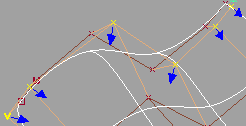
Xform > Modify > Move CV normal Move CV Normal Can Pick Hulls |
|
| |
|
For more information, see Deforming Geometry by Moving CV along a Normal in Basic Tools in Alias. |
After selecting Xform > Modify > Move CV normal from the tool palette, you can click a hull to move an entire row of CVs at once.
Three Point Construction Planes |
|
| |
|
For more information, see Construction Planes in NURBS Modeling in Alias. |
The Free plane tool now has a much easier way to create three-point planes:
Specify the Major and Minor Radii of a Torus Primitive |
|
| |
|
For more information, see Creating Geometric Primitives in NURBS Modeling in Alias. |
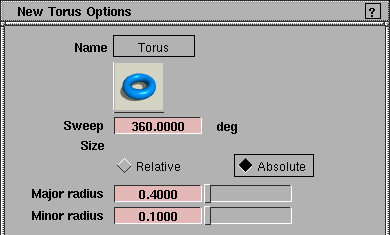
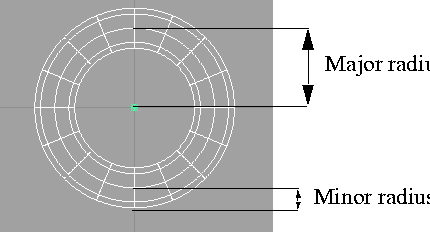
The Torus tool now has options allowing you to specify the minor and major radii when Size is set to Absolute.
The major radius is the distance between the center of the ring and the centerline of the tube. The minor radius is the radius of the tube itself.
Substantial Improvements to the Plotting Interface |
|
| |
|
For more information, see Plotting Wireframe Models in Basic Tools in Alias. |
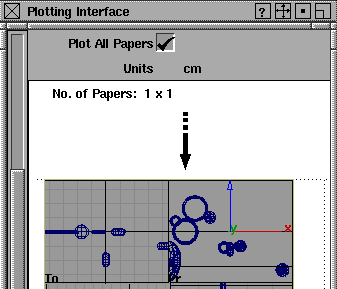
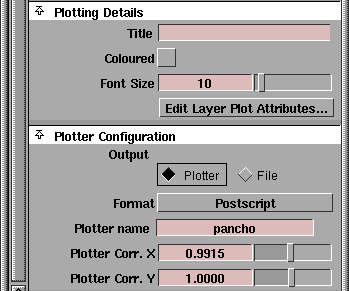
The plotting interface has had substantial improvements to make it easier to use:
Align Hull |
|
| |
|
For more information, see Aligning Hulls to a Plane in NURBS Modeling in Alias. |
The Align hull tool calculates the best fit plane for each row of CVs and aligns the CVs to that plane. |
| Copyright © 1998, Alias|Wavefront, a division of Silicon Graphics Limited. All rights reserved. | Please send questions or comments regarding the documentation to: [email protected] |