
 ChassisMain BoardCentral Processing UnitRandom Access MemoryVideoAudioHard Disk DriveOptical Disk DriveInput DevicesOutput DevicesPower Supply UnitAdditional Hardware
Software
Operating SystemApplication SoftwareMaintenance SoftwareSimilar to graphics adapter, a sound device is available as integrated sound or expansion sound card. Their differences are:
- Performance - Normally, integrated sound or value sound card produces 16-bit quality while a performance sound card produces 24-bit quality or higher.
- Price - Obviously, good items just do not come cheap. Everything's fair, isn't it?
No further physical installation is available for integrated sound. However, steps for installing a sound card are right below. Most of the sound card available in the market today utilizes the PCI Interface.
Remove the product from its package. Insert the sound card into any empty PCI slot perpendicular to the main board tray. Tighten it to the chassis with a screw. Please refer to your main board manual for appropriate positions of connectors.
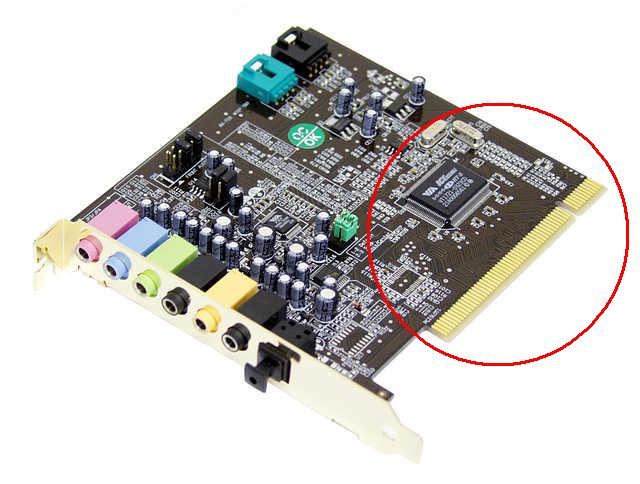
Click to enlarge
Step 1
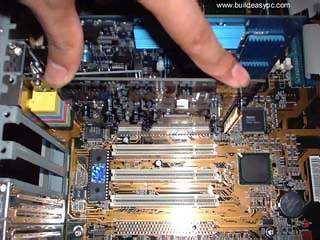
Click to enlarge
Step 2
 Back
Back

©2006 CHC Team