
 ChassisMain BoardCentral Processing UnitRandom Access MemoryVideoAudioHard Disk DriveOptical Disk DriveInput DevicesOutput DevicesPower Supply UnitAdditional Hardware
Software
Operating SystemApplication SoftwareMaintenance SoftwareSimilar to chassis, main boards also have their own kind separated by chipsets and socket types. In general, for Intel and AMD CPUs:
Intel CPUs:
- Socket 370 (Celeron, Pentium II, Pentium III)
- Socket 478 (Celeron, Pentium 4)
- Socket 775 (Celeron, Celeron D,Pentium 4, Pentium D, Core 2 Duo)
Intel Chipsets:
- Intel 845G, 845P, 865G, 865P, 865PE, 875P (Socket 478, 775)
- Intel 915G, 915P, 925X, 945G, 945P, 965P, 975X (Socket 775)
AMD CPUs:
- Socket 462 (Athlon XP, Sempron)
- Socket 754 (Sempron, Athlon 64, Turion 64)
- Socket 939 (Sempron, Athlon 64, Athlon 64 X2, Athlon 64 FX)
- Socket AM2 (Sempron, Athlon 64, Athlon 64 X2, Athlon 64 FX)
AMD Chipsets:
- nForce 3, 4 (Socket 754, 939)
- nForce 550, 570, 590 MCP (Socket AM2)
Other chipsets are also utilized by both Intel and AMD CPUs:
- Via P4, PT , K8
- SiS 6XX, 7XX
- nVidia SLI MCP
- ATi Crossfire
Carefully remove the main board from the ESD package. Place the main board on the main board tray. In most cases, screws are provided with the purchase of the chassis. Tighten the main board on the main board tray. Replace the Input Output (IO) Shield provided by the main board manufacturer (if applicable).
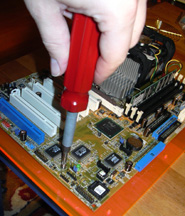
Click to enlarge
Step 1
Step 2
For chassis with non-removable main board tray, carefully place the main board on the static tray and tighten it. Replace the Input Output (IO) Shield provided by the main board manufacturer (if applicable).
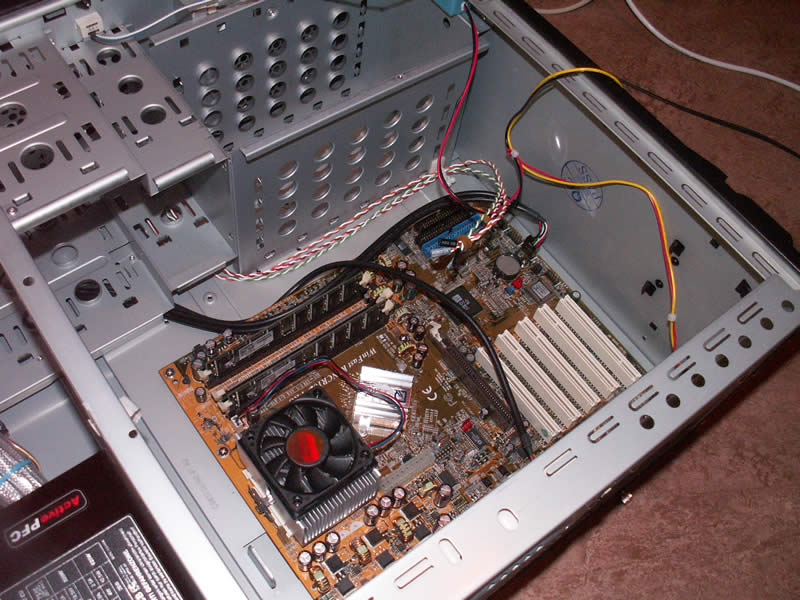
Click to enlarge
Step 3
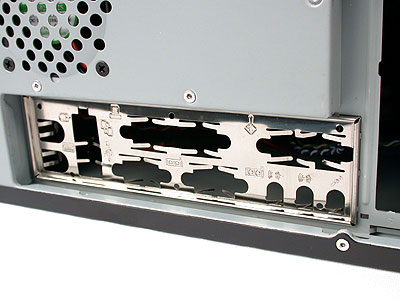
Click to enlarge
Step 4
Click to enlarge
Step 5
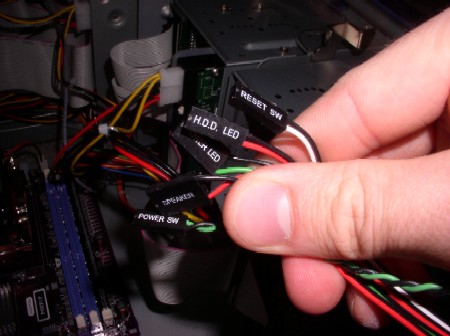
Connect chassis front panel cables to the main board. Please refer to your main board manual for actual location of connectors.
 Back
Back

©2006 CHC Team