
 ChassisMain BoardCentral Processing UnitRandom Access MemoryVideoAudioHard Disk DriveOptical Disk DriveInput DevicesOutput DevicesPower Supply UnitAdditional Hardware
Software
Operating SystemApplication SoftwareMaintenance SoftwareOptical drive installation is a simple as installing a PATA hard drive. They share the same interface and might also share the same cable. It is recommended that each independent cable has only one hardware. Sharing a cable with two hardware is similar to a traffic situation in a T-junction whereby vehicles from two directions are heading toward the same direction would definitely cause traffic congestion.
Insert the optical drive into any empty 5.25" drive bay. Secure the drive to the bay. As usual, adjust the jumper setting appropriately to avoid conflict with other hardware (if any). Connect both ends of the audio out cable to the optical drive and main board respectively. Then, connect the end of either master or slave of the PATA cable, preferably ATA-133 80-pins, to the optical drive while the other end to the PATA interface on the main board.
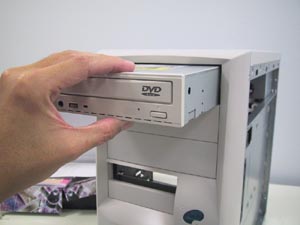
Click to enlarge
Step 1
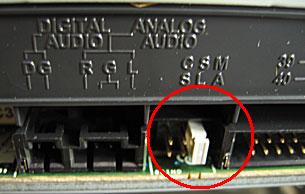
Click to enlarge
Step 2
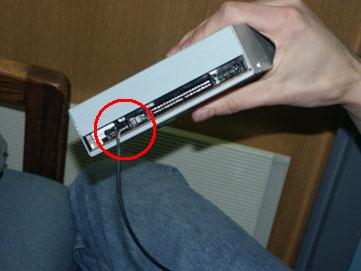
Click to enlarge
Step 3
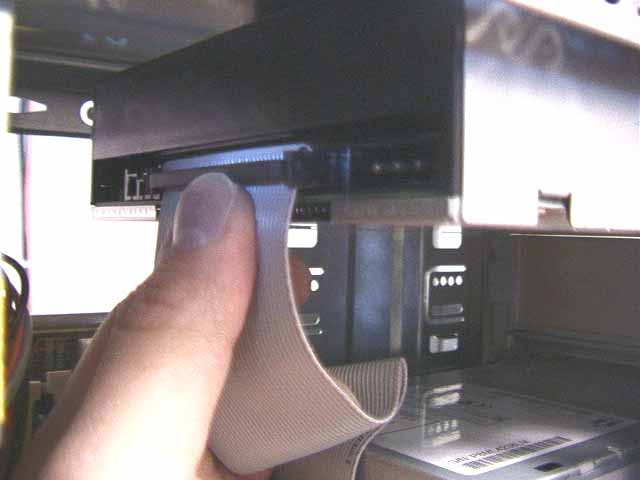
Click to enlarge
Step 4
 Back
Back

©2006 CHC Team