
 ChassisMain BoardCentral Processing UnitRandom Access MemoryVideoAudioHard Disk DriveOptical Disk DriveInput DevicesOutput DevicesPower Supply UnitAdditional Hardware
Software
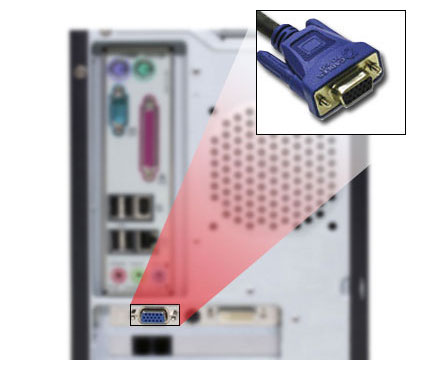
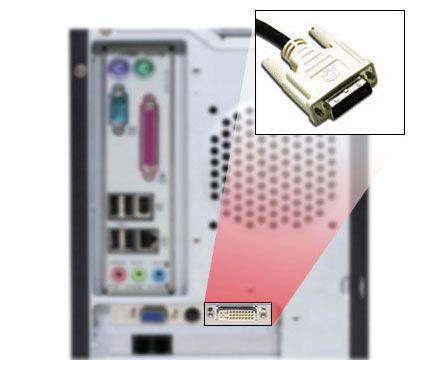
Operating SystemApplication SoftwareMaintenance SoftwareMonitors, printers and speakers are examples of output devices. Although not all output devices are necessary, the monitor is a must in order to boot up the PC. There are two types of interface for display which are analog (VGA) and digital(DVI). Note that DVI Interface is only available for certain graphics cards and digital LCDs.
VGA Interface for Display
Click to enlarge
Step 1a
Connect any end of the VGA cable to the video port of the integrated graphics adapter or graphics card while the other end to the monitor.
DVI Interface for Display
Click to enlarge
Step 1b
Connect any end of the DVI cable to the video port of the graphics card while the other end to the monitor.
Click to enlarge
Step 2
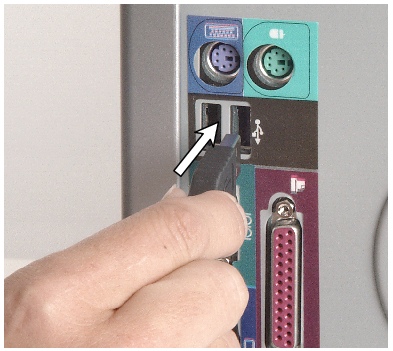
Connect the end of the device cable to any USB ports on the rear panel.
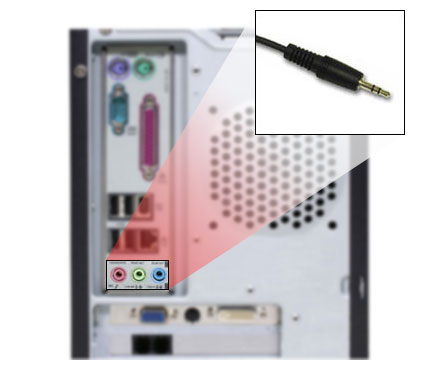
Audio Output for Speakers
Click to enlarge
Step 3
Connect the end of the speaker cable to the green audio jack on the rear panel or sound card. If a speaker system with more channels such as 5.1, 7.1 or above, those cables can be plugged into more ports.
 Back
Back

©2006 CHC Team