
 ChassisMain BoardCentral Processing UnitRandom Access MemoryVideoAudioHard Disk DriveOptical Disk DriveInput DevicesOutput DevicesPower Supply UnitAdditional Hardware
Software
Operating SystemApplication SoftwareMaintenance SoftwareIn general, graphics adapters come in two forms - the onboard (built-in or integrated) and expansion card (Graphics Card). The differences between theses two forms are:
- Performance - Graphics cards have their own dedicated processor (VPU) and independent memory while integrated graphics uses on-chip processor system memory (RAM sharing), resulting in degraded performance.
- Price - Of course, performance parts do not come cheap. Integrated graphics is included in the main board itself while graphics card is purchase externally.
Integrated graphics adapter do no require physical installation. In the other hand, steps for installing graphics card are shown below. Carefully remove the product from its package. Remove the respective rear slot protector of the chassis. Insert the graphics card into the slot provided (either AGP or PCI Express) perpendicular to the main board tray. Secure the lock (if applicable).
There is a physical difference between AGP and PCI Express Slot - the indentation of the slot compared to ordinary PCI slots. AGP Slot is more indented than PCI Express Slot.
AGP Graphics Card Installation
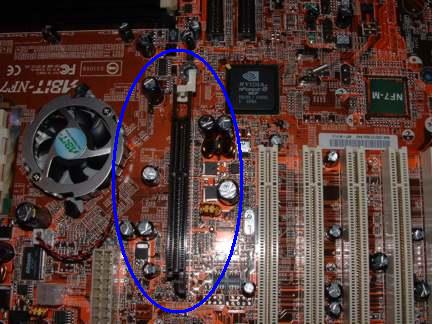
Click to enlarge
Step 1a
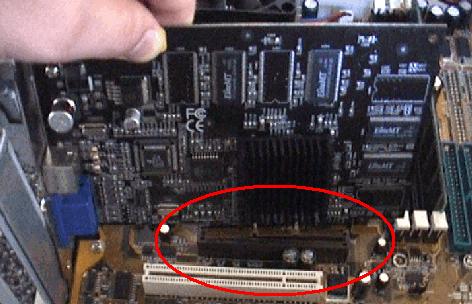
Click to enlarge
Step 2a
PCI Express Graphics Card Installation
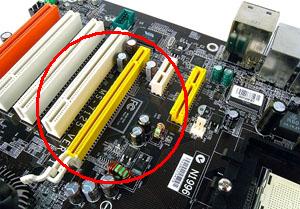
Click to enlarge
Step 1b
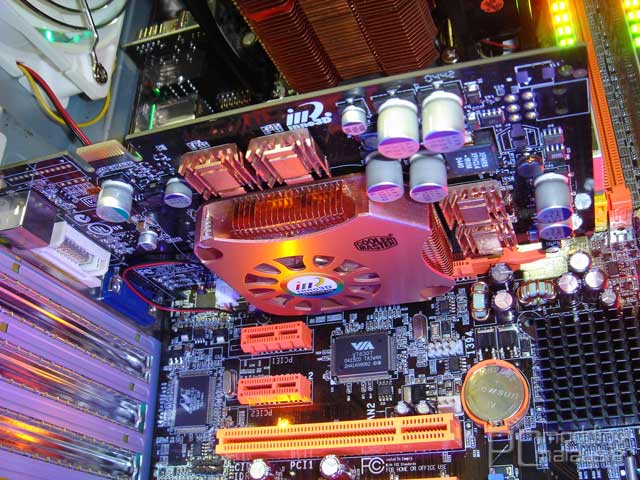
Click to enlarge
Step 2b
 Back
Back

©2006 CHC Team