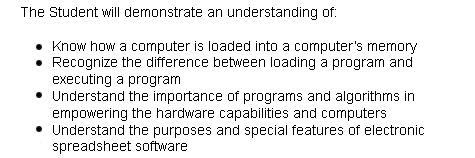
Session three will explain
how programs enable computer hardware to perform tasks
and understand how the stored-program computer stores
both programs and needed information. You will know
how the ROBOT's instruction decoder converts a ROBOT
instruction into an operation code and an address.
Be able to recognize how a computer's instruction
set defines the computer's uses and capabilities and
how a program is loaded into a computer's memory.
Also, recognize how the four basic components of a
computer system are implemented in the ROBOT and Pencil
and Paper computer simulations. Next, understand how
the three basic units of a CPU function to execute
a Pencil and Paper program and how the fetch and execute
cycle works. Be able to recognize the difference between
loading a program and executing a program. Finally,
understand the importance of programs and algorithms
in empowering the hardware capabilities of computers
and the purpose and special features of electronic
spreadsheet software.
The
following are the activities for this Week. It is important
to emphasize that each assignment is designed to be performed
in one day, and maximum two if pertinent.