| Metamorphosis
of Information
Session one will introduce computers and how they
impact our everday lives. The students will identify
which devices are considered computers and which are
not. We will understand why computers use the binary
system, the differences between electronic and mechanical
computers and the differences between digital and
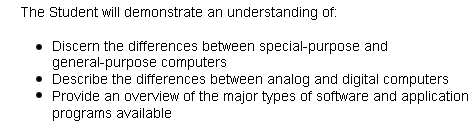
analog computers. Also, we will discern the differences
between special-purpose and general-purpose computers.
Next, be familiar with the major types of software
and application programs available. We will, also,
realize how almost all information fits into one of
the following categories: numeric, character, visual,
audio, or instructional. Be able to understand the
issues involved in transforming and representing information
in a computer and how pictures can be stored in a
computer using pixels. You will know
why computers use binary numbers to store information
and realize why storing any kind of information in
a computer requires transformation to binary form.
Next, identify the differences between the external
and internal forms of information and the major features
and their uses in word-processing programs. Also,
be able to recognize several different ways sound
can be stored in a computer, discern the difference
between facts and information and the difference between
an opcode and an address.
|