RetainWall main window
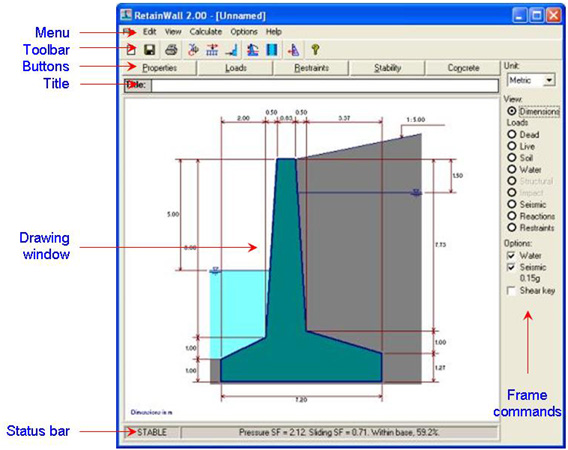
The main window of RetainWall when it open is shown below.
The main window is divided into the following areas.
1. Menu
- List of instructions using a pull down menu. 2. Toolbar
- List of graphical commands of important instructions. 3. Buttons
- List of command buttons to launch important windows. 4. Title
- A text box to input a calculation title. 5. Drawing window - Views of wall with dimensions or selected load view.
6. Frame commands - List of commands to quickly change the parameters and views. 7. Status bar
- Indications for stability status of the wall.
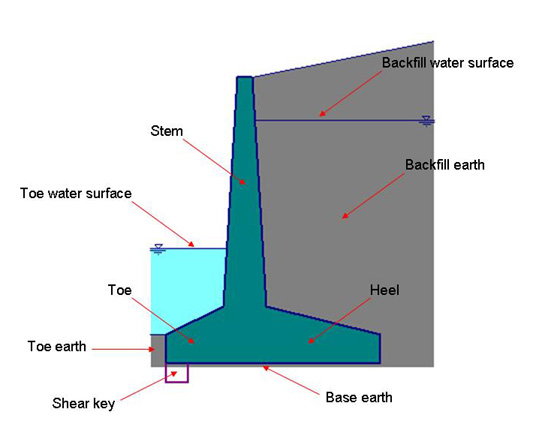
Terms
The following figure shows the wall, earth and water with the terms used in the calculation.
How to operate
The following steps demonstrate a common operation of RetainWall.
See also: