|
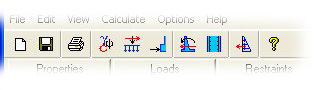
Toolbar
|
Previous Top Next |
 Edit or change material properties. Menu: Edit > Properties. Button: Properties button. See also: Properties.
 Change type of sliding restraints. Menu: Edit > Restraints. Button: Restraints button. See also: Sliding restraints.
 View stability results of the wall. Menu: Calculate > Stability. Button: Stability button. See also: Stability.
 Show reinforced concrete design
window. Menu: Calculate > Concrete design. Button: Concrete button. See also: Reinforced concrete design.
Show reinforced concrete design
window. Menu: Calculate > Concrete design. Button: Concrete button. See also: Reinforced concrete design. Show a soil pressure calculator. Menu: Calculate > Soil pressure calculator. See
also: Soil pressure calculator.
Show a soil pressure calculator. Menu: Calculate > Soil pressure calculator. See
also: Soil pressure calculator.


