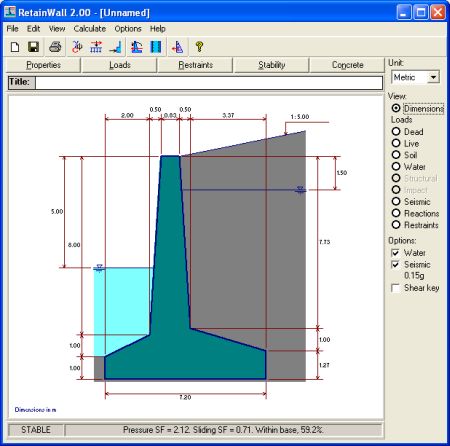
To change the dimensions, show the Dimensions view through View > Dimensions menu or View Dimensions frame command. Dimensions view will be shown as below.
Dimensions of wall and shear key, water levels and earth surface slope can be changed by
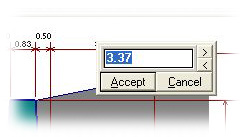
clicking the dimension number on the Dimensions view. An edit box will be shown as follows.
Change the dimension by typing a new number or clicking the  or
or  buttons. The
  or
or  buttons will increase or decrease the dimension in the increment or decrement of 0.1.
 Clicking  button or pressing "Enter" keyboard key will change the dimension.
 Clicking  button or pressing "Esc" keyboard key will abort the change.
Changing the dimension to 0 (zero) will make the vertical or horizontal surface. Earth surface
slope of 1 : 0 will make the surface horizontal. A negative dimension is not allowed.
Once a dimension is changed, the other related dimensions will automatically changed.