Xnews Setup
Servers setup - Basic
Servers setup - Custom
Identities
Fonts and Colours
Display
Files
Storage
Compose
Misc
FAQ + Useful Stuff
Additional Information
ini files
SSL
NewsProxy
|
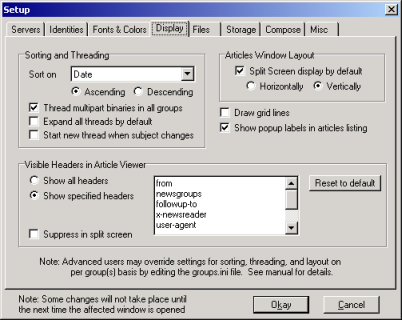
 |
Sets the header used to arrange the order of articles. Pick one from the drop-down box. |
 |
Sets whether the articles should be sorted in ascending or descending order (according to the option chosen above). |
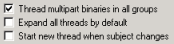 |
Three self-explanatory options :-) |
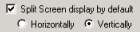 |
Sets whether Xnews should display the article list and article viewer on the same screen. The split can be set horizontally (as with Outlook Express etc), or vertically (the best option). |
 |
The first check box specifies if the article list should be displayed in a grid.
The second check box sets pop-ups on or off. If on, further information each article can be obtained by hovering over the appropriate column of the article list; 'Lines' shows size in bytes, 'From' shows name and e-mail, 'Date' shows full time and date. |
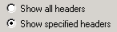 |
Sets whether all headers should be displayed, or just those specified in the text box. These must be typed in. They will be displayed in the order specified. |
 |
When using a horizontal split, it may be useful to suppress the headers to allow more space for the article body. |
|
Useful Links
Xnews homepage
Xnews manual
Download Xnews
Latest Xnews beta
DC's page
Ralf Hasse's Site
Contact
 130350453 130350453
 davidgb75 davidgb75
 d4vidb d4vidb
|