|
Minolta
Alpha Dynax Maxxum 507si 600si 650si Classic Panorama Date Camera Check
List Page 05 v
2002-10-06 16:16
This CHECK LIST describes the quality of operation warranted by Minolta to general users. When inquiring about quality or camera inspection, refer to this CHECK LIST. Use this list also when checking operation before and after purchase or repair. Use the standard Minolta AF 50mm f/1.7 lens for the following checks except where other lenses are mentioned. |
 |
Please browse and enjoy, offer feedback, and return often!
 Minolta
Alpha Dynax Maxxum 507si 600si 650si Classic Panorama Date Camera Minolta
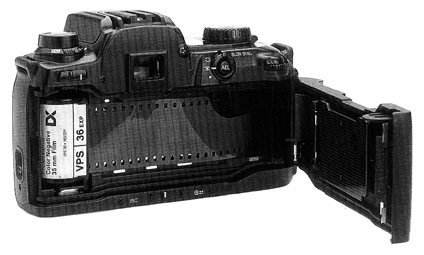
Alpha Dynax Maxxum 507si 600si 650si Classic Panorama Date CameraFilm Transport |
|
| Initial load |
When the initial film load is completed,
 appears in the Body Data Panel.
When initial load has failed,  appears blinking, and the Shutter Release Button is locked.
 |
| Rewind |
Film rewind starts automatically at the end of the roll.
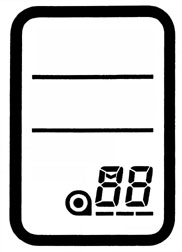
During film rewind, number in the Body Data Panel Frame Counter decreases accordingly. Pressing the Rewind Button during rewind will make a high speed rewind. When the film rewind is completed,  appears in the Body Data Panel Frame Counter, and
  starts blinking.
 |
| Film Advance transport time |
Approximately 1.8 frames per second in Continuous drive mode, Shutter
Speed 1/250 second, attached automatic lens Aperture f/5.6, for 24-exposure
film.
|
| Film Rewind transport time |
Normal speed rewind approximately 16 seconds for 24-exposure film.
High speed rewind approximately 8 seconds for 24-exposure film. |
 Minolta
Alpha Dynax Maxxum 507si 600si 650si Classic Panorama Date Camera Minolta
Alpha Dynax Maxxum 507si 600si 650si Classic Panorama Date CameraDrive Mode |
|
| Multiple Exposure Film Drive Mode |
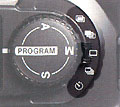
Turning either Front or Rear Control Dial will set number of exposure
from 2 to 9.
Shutter release is impossible while the Drive Mode Selector is set to Multiple Exposure. Film doesn't advance until the last frame of number of exposure being set is exposed. Multiple Exposure is canceled by removing and reinstalling the battery or turning either Front or Rear Control Dial to select OFF while the Drive Mode Selector is set at Multiple Exposure. |
| Continuous Advance Film Drive Mode |
Pressing and holding the Shutter Release Button will release the shutter
continuously at up to 2 frames per second.
In AF Auto Focus mode, the shutter runs only after focus is confirmed. |
| Single-frame Advance Film Drive Mode (default) |
Pressing and holding the Shutter Release Button will release the shutter
only
one time.
In AF Auto Focus mode, shutter runs only after focus is confirmed. |
| Exposure Bracketing Film Drive Mode |
Pressing and holding the Shutter Release Button will release the shutter
continuously for 3 frames with a series of exposures: optimum exposure, -1/2 EV Exposure Value, +1/2 EV Exposure Value. Exposure bracketing is canceled by letting the Shutter Release Button off. |
| Flash Bracketing Film Drive Mode |
While built-in pop-up flash is up or a dedicated flash unit is ON, pressing
and
holding the Shutter Release Button will release the shutter only for one
time. Consecutive three shutter releases will make a series of exposures: optimum exposure, -1/2 EV Exposure Value, +1/2 EV Exposure Value. Flash always fires even in P Program mode. By removing and reinstalling the battery or sliding Main Power Switch to OFF and ON will reset the number of flash bracketing exposure and [Fbr 1] appears in the Body Data Panel. Flash bracketing is canceled by turning the Drive Mode Selector or lowering the built-in flash. |
| Self-timer |
Focus and exposure are locked during countdown. By pressing the Shutter Release Button, the Self Timer Lamp operates as follows; blinking at 2 Hz for 8 seconds, blinking at 8 Hz for 1 second, glowing for 1 second, shutter release. |
Home Beyond the Owners Manual Previous Page Page: 01 02 03 04 05 06 07 08 09 Next Page Notes
