|
Minolta
Alpha Dynax Maxxum 507si 600si 650si Classic Panorama Date Camera Check
List Page 02 v
2002-10-06 16:15
This CHECK LIST describes the quality of operation warranted by Minolta to general users. When inquiring about quality or camera inspection, refer to this CHECK LIST. Use this list also when checking operation before and after purchase or repair. Use the standard Minolta AF 50mm f/1.7 lens for the following checks except where other lenses are mentioned. |
 |
Please browse and enjoy, offer feedback, and return often!
 Minolta
Alpha Dynax Maxxum 507si 600si 650si Classic Panorama Date Camera Minolta
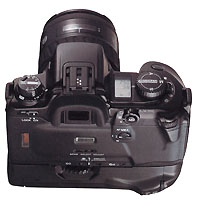
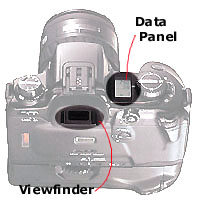
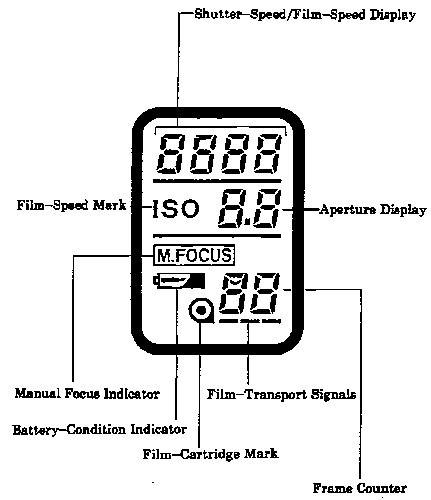
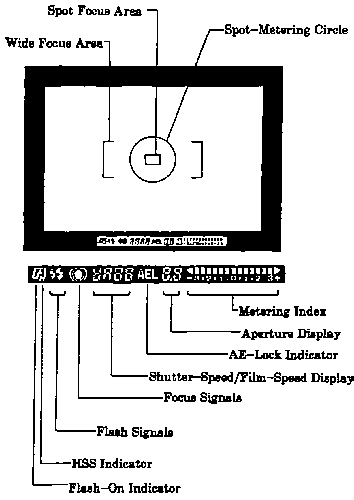
Alpha Dynax Maxxum 507si 600si 650si Classic Panorama Date CameraName of parts on Body and Viewfinder Data Panels (listed alphabetically) |
|
| AE-Lock Indicator | Focus Signals |
| Aperture Display | Frame Counter |
| Battery-Condition Indicator | HSS Indicator |
| Film-Cartridge Mark | Manual Focus Indicator |
| Film-Speed Display | Metering Index |
| Film-Speed Mark ISO | Shutter-Speed/Film-Speed Display |
| Film-Transport Signals | Spot Focus Area |
| Flash-On Indicator | Spot-Metering Circle |
| Minolta
Alpha Dynax Maxxum 507si 600si 650si Classic Panorama Date Camera Body Data Panel |
|
| Minolta
Alpha Dynax Maxxum 507si 600si 650si Classic Panorama Date Camera Viewfinder Data Panel |
|
 Minolta
Alpha/Dynax/Maxxum 507si 600si 650si Classic Panorama Date Camera Minolta
Alpha/Dynax/Maxxum 507si 600si 650si Classic Panorama Date CameraInitial Camera Settings |
|
|
Main
Switch ON
|
By sliding Main Power Switch to ON, the camera and an attached AF Auto
Focus lens are reset as follows.
Camera: Manual Focus Indicator appears in the Body Data Panel if the camera has been set to manual focus before the Main power was turned off. Battery Condition Indicator appears in the Body Data Panel and stays for 4 seconds. Frame Counter shows number of exposed frames in the Body Data Panel. Lens setting in AF Auto Focus mode: AF Auto Focus lens is reset to a specific focus position after an infinity reset. xi series lens is reset to a specific focus position after a zoom wide end reset. Lens setting in M Manual focus mode: AF Auto Focus lens - Manual focus indicator remains in the Body Data Panel. xi series lens is reset to zoom wide end, and Manual Focus Indicator remains in the Body Data Panel. |
|
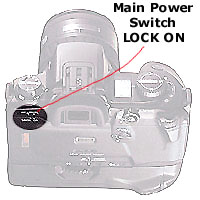
Main
Switch LOCK
|
By
sliding Main Switch to LOCK, all displays in the Body Data Panel disappear.
Lens setting in AF Auto Focus mode: AF lens is reset to infinity position. xi series lens retracts to its shortest position. Lens setting in M Manual focus mode: AF lens does not get reset. xi series lens retracts to its shortest position. |
Home Beyond the Owners Manual Previous Page Page: 01 02 03 04 05 06 07 08 09 Next Page Notes
