|
Minolta
Alpha Dynax Maxxum 507si 600si 650si Classic Panorama Date Camera Check
List Page 04 v
2002-10-06 16:16
This CHECK LIST describes the quality of operation warranted by Minolta to general users. When inquiring about quality or camera inspection, refer to this CHECK LIST. Use this list also when checking operation before and after purchase or repair. Use the standard Minolta AF 50mm f/1.7 lens for the following checks except where other lenses are mentioned. |
 |
Please browse and enjoy, offer feedback, and return often!
Metering Mode Controls and Operations |
|||
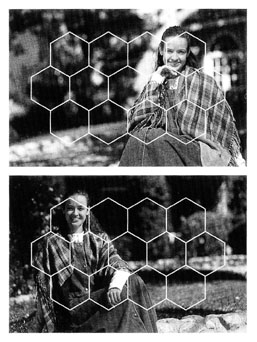
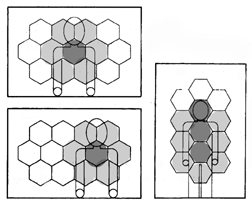 14-Segment
Honeycomb Pattern Metering (default) 14-Segment
Honeycomb Pattern Metering (default) |
Exposure is locked while an attached auto focus lens's focus is locked.
While pressing and holding the Shutter-Release Button part way down, the camera's Shutter Speed and an attached automatic lens's Aperture setting remain the same. The camera metering detects back lit subject scenes, and the Flash fires in P Program mode when the Built-in Flash is up. In MF Manual Focus mode, the camera metering does not detect back lit subject scenes. |
||
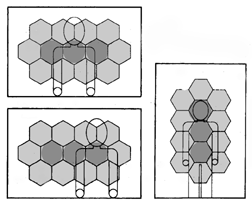 Centerweighted
Average Metering Centerweighted
Average Metering |
Exposure is not locked while an attached auto focus lens's focus is
locked.
The camera metering does not detect back lit subject scenes. |
||
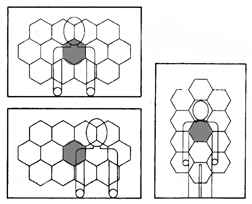 Spot
Metering Spot
Metering |
Exposure
is not locked while focus is locked.
Camera does not detect back lit scenes. Only Spot Metering Circle is used for metering. |
||
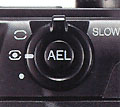 AEL
SLOW SYNC Auto Exposure Lock Slow Synchronization Button AEL
SLOW SYNC Auto Exposure Lock Slow Synchronization Button |
By pressing and holding AEL Auto Exposure Lock Button, the Auto Exposure
Lock Indicator and Metering
Index marker appear in the Viewfinder Data Panel. Metering Index does not appear for flash photography. With built-in pop-up flash up or dedicated flash On, slow Shutter synchronization is available by pressing and holding the AEL Auto Exposure Lock Button while pressing the Shutter Release Button. |
||
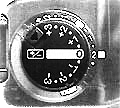 +/-3
Exposure Compensation Control Lock and Dial +/-3
Exposure Compensation Control Lock and Dial |
Turning the Exposure Compensation Dial will set exposure compensation
within +/-3 EV Exposure Value in 1/2-stop increments. While metered Shutter Speed and/or Aperture are held in the Viewfinder and Body Data Panels, turning the Exposure Compensation Dial will change the Shutter Speed and Aperture accordingly. In M Manual Exposure mode, the pointer on the Viewfinder Data Panel Metering Index changes according to the Exposure Compensation Dial setting while manually set Shutter Speed and attached automatic lens Aperture stay still. |
||
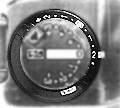 +/-2
Flash Compensation Control Dial +/-2
Flash Compensation Control Dial |
Turning Flash Compensation Dial will set flash compensation within +/-2
EV Exposure Value in 1/2-stop increments. Regardless of the amount of flash compensation, the camera's Shutter Speed and an attached automatic lens's Aperture do not change. Flash output increases or decreases according to the amount of flash compensation; Attached dedicated flash unit will change its subject distance display. |
||
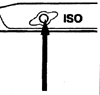 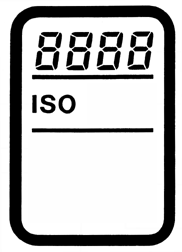 ISO
Film Speed setting ISO
Film Speed setting |
Pressing the Film Speed Button and turning either the Front or Rear
Control Dial will
change the film speed setting within ISO 6 to 6400 in 1/3-stop increments.
|
||
Home Beyond the Owners Manual Previous Page Page: 01 02 03 04 05 06 07 08 09 Next Page Notes
