|
||||||||
|---|---|---|---|---|---|---|---|---|
| Home | Tutorials/Exercises | Questions/Suggestions | Contact Us/About us | Acknowledgements | ||||
| Join Us! |
You make me feel like a beauty queen!
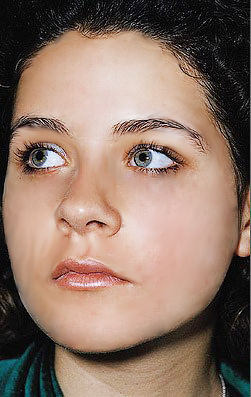
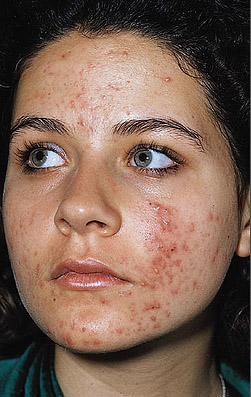
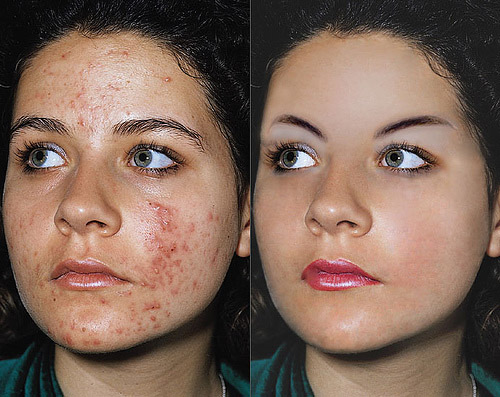 Your primary tool in creating this output is the Healing Brush tool. Get the Final Output image then use it as your canvas. To select your source, press the ALT key on the keyboard and click on the desired/healthy pixel that will be used to cover the blemishes. After that, click on the blemishes until they disappear completely. While doing these activities, I want you to also use the tools at the bottom of the alteration tools bar such as blur tool, dodge tool, burn tool, etc. Use this opportunity to know what they're functions are :) Lastly, save your output as either .jpeg or .psd Hope you finished it! Now go to the next activity! | |||||||