When making noncampaign missions, one doesn't have to pay too much attention to the debriefing groups, as the player usually has a good idea whether the mission objective has been achieved and whatever else happened during the mission is of merely academic interest. For campaign missions, in contrast, debriefing groups are VERY important. This is because the campaign only knows what the results of the last mission were by being told which summary debriefing group was selected at the end of it. Generally, each mission will include one summary debriefing group for success, one for failure and a separate group for the detailed debriefing text. This is the simplest way to make campaign missions. It is not the only way, however. For example, you may wish to assign the player a secondary target in the mission. If the player achieves both the primary and secondary objectives, you may want him or her to get a different mission than if he or she had only accomplished the primary objective alone.
If the mission has only a single goal, then there are two possible outcomes: success or failure. This can be represented in a table as follows:
Every time you add another goal to the mission, you double the number of outcomes. For two goals, the table is as follows:
If you have three goals, the table is as follows:
There is a limit to how many goals you can have in a campaign mission. The limit is set by the maximum number of debriefing groups. This number is twenty-four. If you were to have five goals, then there would be thirty-two possible outcomes. The game is unable to recognize that many debriefing groups and so not all those outcomes would be recognized by the campaign. This means that the practical limit on goals to be recognized by the campaign is four, with sixteen possible outcomes.
This doesn't mean that you can't make a campaign mission where you want the player to achieve more than five objectives. You can. You can make the player jump through as many hoops as you like for mission success, but if you want the campaign to be sensitive to all the possible mission results besides total success, there is a limit of four goals.
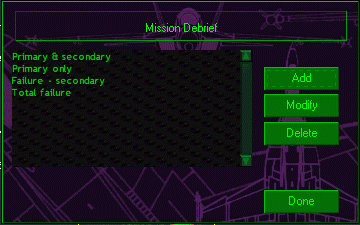
You may decide that you don't care to distinguish between certain outcomes. For simplicity, let us consider a mission with two goals. Take, for example, the 'First Look' mission that comes with the game. In this mission, you have to shoot down a MiG-29 and bomb a factory. Suppose that bombing the factory is more important to moving your campaign forward and so make that the primary goal. If the player achieves that, then you will consider the mission a success. You will consider the mission MORE of a success, though, if the secondary goal of shooting down the MiG is achieved and will reward the player accordingly. So there must be a separate debrief group for that. What if the player bags the MiG but misses the factory? Well, that would be a partial success, but perhaps not successful ENOUGH to make a difference to how the campaign progresses. This partial success is considered a failure.
This means that instead of a summary debriefing group for each possible outcome, you only need a summary debriefing group for each outcome that you care about. In this example there are three:
 |
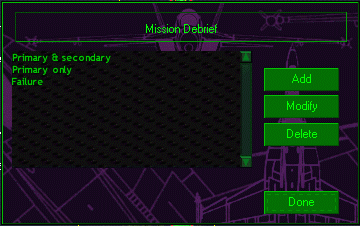 |
You want the mission to go to the failure debriefing group whenever one of the last two conditions is met. One way to do this is to include two separate debrief logic statements within the group: one for when only the secondary goal is accomplished and another logic statement for when neither goal is accomplished. It is more efficient, however, to have a single logic statement which is satisfied when the primary goal has not been accomplished. This also reduces the chance of an error in the logic statements resulting in no debriefing group being selected. If you wish to let the player know which of the two possible ways to fail was the actual one, put the relevant statements in the detailed debriefing group.
When making noncampaign missions, it is possible to eliminate the possibility of the player seeing the 'no debriefing text available' message by leaving the last debriefing group with no satisfaction conditions. This has the effect of making the last debriefing group the default group, as the game halts at the first debriefing logic statement that is true. Unfortunately, campaigns don't seem to use this neat feature. The campaign ignores the results of the processing of the logic statements that was done at the end of the mission and does the processing again. Instead of halting on the first statement it finds true, it appears to select the LAST group that contains a true statement.
Even when you wish to track all possible mission results, it still sometimes makes sense to have more than four goals, and so more than sixteen summary debriefing groups. This occurs when you only wish to track the four goals in the NORMAL course of events where the player follows instructions and attacks only targets assigned in the briefing. If the player does something extraordinary that renders the results the campaign was following irrelevent, these actions can be reflected in the summary debriefings and hence be recognized by the campaign.
Suppose that you give the player four targets, and you want the player to get a different mission depending on the combination of targets he or she hits. That means that the player will get one of at least sixteen different missions next, depending on performance. In addition, you may wish to include further factors that change the course of the campaign. For example, you may want the campaign to end if the player shoots down a friendly aircraft. As another example, if the player shoots down a neutral aircraft, you may want the next mission to be one where that country attacks the player's side. The debrief groups for these results would be listed above all the others in the mission builder, so that if one of these groups is selected at the end of the mission, the results with respect to the other four goals would be ignored.
In my Karelskaya campaign, in addition to the four goals that are relevant to the continuation of the campaign, there are another two goals that are checked first. One is for the destruction of the USS Reagan and other is for the destruction of the Kuznetsov. If either event takes place during a mission, the campaign ends. Otherwise, the results with respect to the other four goals are recognized and the campaign proceeds accordingly. Including the detailed debriefing group, this makes for nineteen debriefing groups per mission.
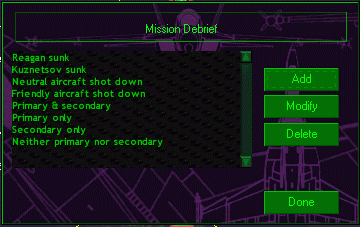 |
If one of the first four debriefing groups is selected in the above example, then the results of the tasked mission (reflected in the last four goals) are ignored and the campaign either ends or goes off in a new direction. If the player follows instructions and doesn't do anything wild, the campaign will proceed along its 'normal' path.
Enabling campaign goals
Although the campaign works by looking at which summary debriefing group was selected at the end of the mission, this is not done automatically. Within each mission, you have to specify which summary debriefing groups will be recognized by the campaign. As this feature relates to campaign-building, it is an unsupported feature of the mission builder. In order to enable it, you have to manually change an entry in your Windows registry. Click here for details on how to do this.
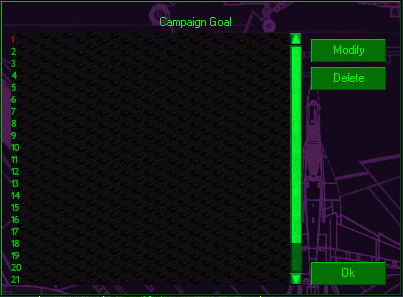
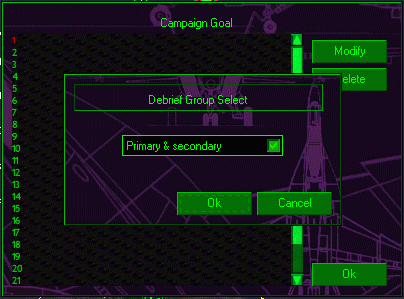
Once this feature is enabled, when you press 'F2' in the misson builder, a window will pop-up that lists all the possible summary debriefing groups that will be recognized by the campaign. This list will be empty until you add a debriefing group to it. Whatever order you choose to place the summary debriefings in the missions, it is a good idea to arrange them in the same order on this list in each mission. For example, one way to do this would be to place the all-goals-achieved group at the top of the list, followed by the different partial success groups. At the very bottom of the list would go the total failure group. Just make sure that you use the same order in each mission. For complex campaigns, it makes constructing the node links much easier.
 |
 |
 |
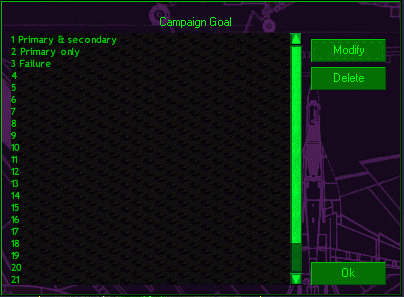 |
Use the same order for each mission in the campaign. |
Damage-tracking
This does NOT apply to radars, SAM sites and AAA sites, which have to be added-in by the designer. Fortunately, the Jane's team have made it easy for campaign designers to enable damage-tracking for added-in objects. All you have to do is put all the objects that you will want throughout the campaign in a new mission, and then use that as a template to create all the other missions in the campaign (thanks to Matt Wagner, late of Electronic Arts, for explaining this). Each object is assigned a unique tracking number when it is inserted into the mission file. Press the 'F12' key in the mission builder to see the tracking numbers. It is a very good idea to put all the objects you will use during the campaign into the template, as any object with the same number as an object in an earlier mission will inherit its damage state.
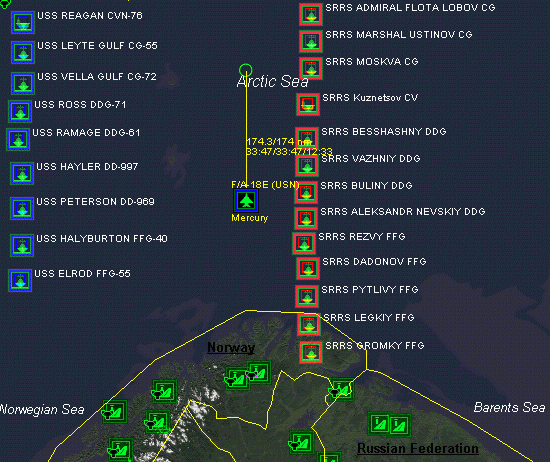
To enable damage-tracking for ships, you have to use a special mission template, generously provided by Matt Wagner. This includes the USS Reagan and Battle Group, and the Kuznetsov with numerous escorts. By using this template, when a ship is sunk during a mission, it stays sunk for the duration of the campaign.
Matt Wagner's mission template.
Summary
Questions or comments should be directed to [email protected]
The F/A-18 campaigns are designed to track damage to ships and ground objects, such as buildings or SAM sites, from mission to mission. This means, for example, that if you take out a search radar with a HARM, it will still be destroyed the next mission. For objects that are built-in to the map, such as runways, this happens automatically without the campaign designer having to do anything.
Before starting on the campaign file itself, plan out all the possible ways that the mission results will affect the direction of the campaign. Get Matt Wagner's mission template and add-in all the ground objects you plan to use during the campaign. Make your campaign missions using this template. Be sure to add all the summary debriefing groups to your missions that are necessary for the campaign to take account of the mission results in the way you have planned. For each mission, assign the summary debriefing groups to the list of debriefing groups that are recognized as campaign goals.