 |
6. Campaign Resources
The campaign keeps track of how many serviceable aircraft the player has left and how much ordinance he or she has expended. It is possible to set the quantities of ordinance and aircraft the player starts with to a custom level.
1. Click on the 'campaign resources' button:
|
2. The campaign-resources window will open:
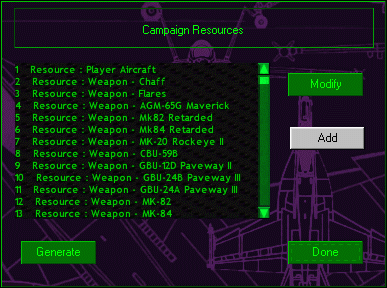 |
3. Select the item you wish to modify from the list and click the 'modify' button. The resource-modify window will open for that item:
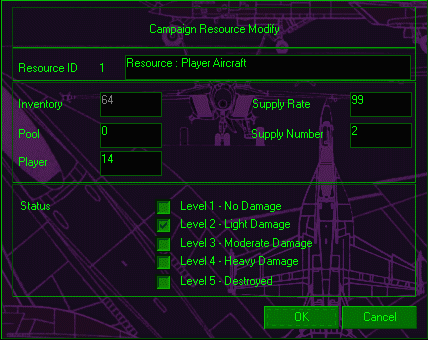 |
By changing the value in the 'player' box you will change the quantity of this resource available to the player. The values in the boxes on the right must affect the rate at which you get resupplied with this item during the campaign, but I haven't experimented with this enough to tell you exactly what effects changing these values has.
If you scroll down the list, you will find the names of the ships in the campaign listed. Theoretically, if you are using Matt Wagner's mission template, you will be able to activate global links using these resource-entries when these ships are damaged or sunk. Practically, I have yet to make this work.
Summary
Use the campaign resources to give the player more or less aircraft and weapons than the default values, depending on the nature of your campaign.
Questions or comments should be directed to [email protected]