 |
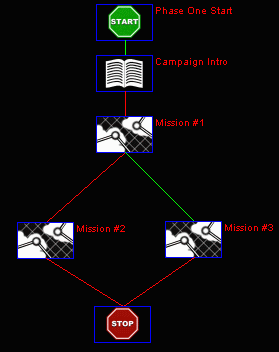
A simple campaign file.
The mission and campaign builders included with Jane's F/A-18 together comprise a very powerful set of tools for constructing scenarios for the simulation. Although the mission builder is well-documented in the manual, the campaign builder, being unsupported, does not get a mention. This document is an attempt to help would-be campaign makers get acquainted with the campaign builder. It will be assumed that the reader is familiar with the mission builder. If you are not, you should read the F/A-18 manual and make a few single-missions before thinking about making a campaign.
Essentially, an F/A-18 campaign file is a set of instructions which tells the game which mission will be given next to the player. These instructions take the form of what is basically a flow-diagram. If you open a campaign file in the builder, you'll find that it consists of a set of nodes (the boxes), connected by a network of links (the colored lines). Each node has its own number, as does each link. You can also give nodes names, which I recommend. There are nodes for the different types of object that the campaign will give to the player. These consist of movies, text, and missions. In addition to this type of node, there are start-nodes, stop-nodes and state-nodes.
|
A simple campaign file.
Start and stop-nodes
Each campaign must have exactly one start-node and at least one stop-node. The start-node tells the game where to start processing the campaign instructions, and so must be unique. Each stop-node tells the game that the campaign has come to an end, and the player is returned to the campaign-selection screen.
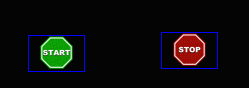 |
A start-node and a stop-node.
Object-nodes
When you want the game to show the player a movie, display text or play a mission, you insert a node that specifies which type of object, and which particular object, will be given to the player.
State-nodes
These nodes are where you can put processing instructions for the campaign without the game also being told to give the player an object (movie, text or mission).
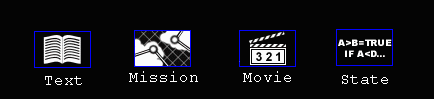 |
Some object-nodes and a state-node.
Links
The links are directions which tell the game which node to go to from the current node. The conditions under which a particular link is to be followed are specified within the node the link originates in.
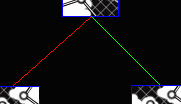 |
Node links.
Summary
The campaign file consists of basically two kinds of instructions: nodes and links. Nodes principally tell the game to do something visible to the player: show movies, text or play missions. Links tell the game how to get from one node to another.
Questions or comments should be directed to [email protected]