
Computer Vision using Matlab 5.3
     <<Home Lab 8                        (Analyzing and Enhancing Images)
   

 Pixel Selection                                                                                                                                                                                                                                                                              

 Example 1                                                                                                                                 

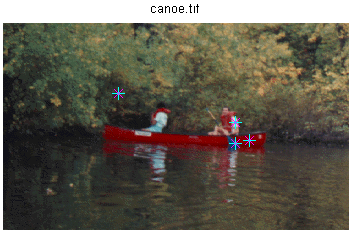
 In this example, you call impixel and click on different points in the displayed image, and then press Return,

 Solution                                                                                                                                    

imshow canoe.tif

vals = impixel

 Result                                                                                                                                       

vlas =

0.51764705882353       0                                      0
0                                    0.29019607843137         0.45098039215686
0.83921568627451       0.80784313725490         0.80784313725490
0.16078431372549       0.19215686274510         0.16078431372549

 Intensity Profile                                                                                                                                                                                                                                                                            

 Example 2                                                                                                                                 

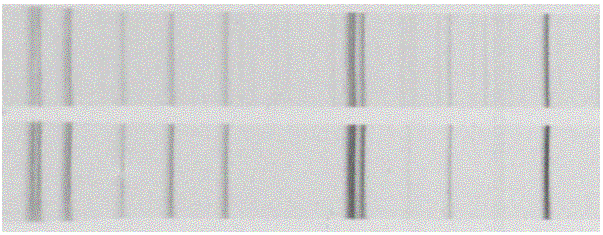
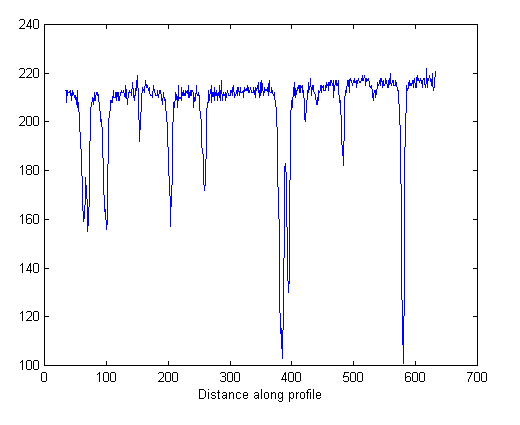
  Plot the profile of 'debye1/tif'

 Solution                                                                                                                                    

imshow debye1.tif

improfile

 Result                                                                                                                                       

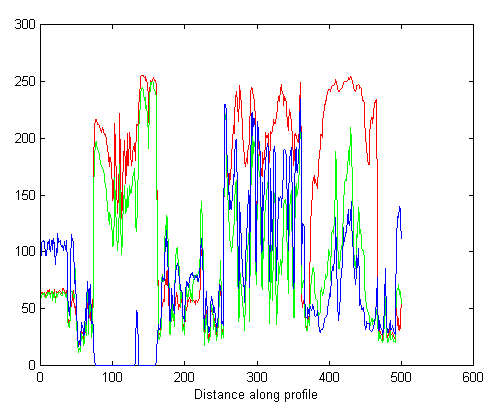
 Intensity Profile                                                                                                                                                                                                                                                                            

 Example  3                                                                                                                                

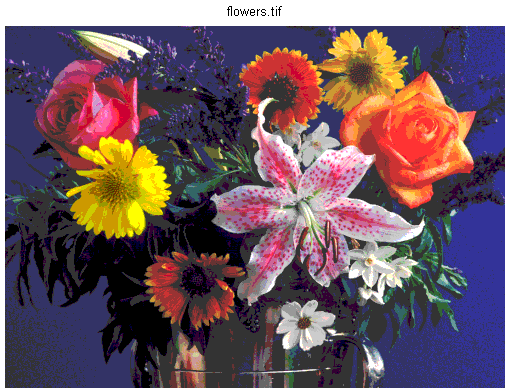
 Plot the profile of 'flowers.tif'

 Solution                                                                                                                                    

imshow flowers.tif

improfile

 Result                                                                                                                                       

 Image Histogram                                                                                                                                                                                                                                                                          

 Example  4                                                                                                                                

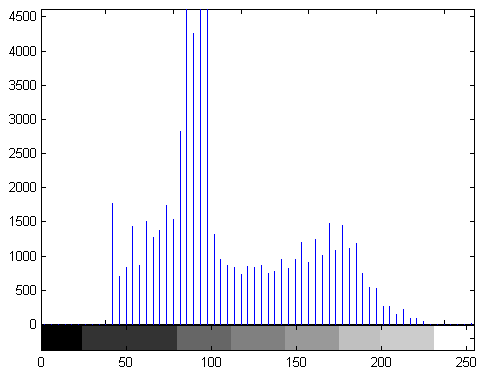
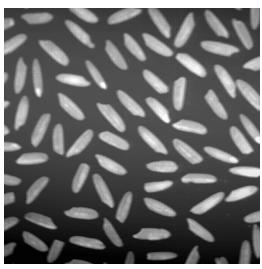
  Plot the histogram of 'rice.tif'.

 Solution                                                                                                                                     

i = imread('rice.tif');

imshow(i)

figure, imhist(i,64)

 Result                                                                                                                                        

 Intensity Adjustment                                                                                                                                                                                                                                                                     

 Example  5                                                                                                                                

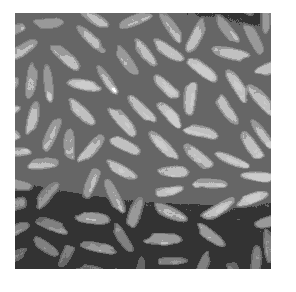
 Remape the image (rice.tif) data values to fill the entire intensity range [0,255]

 Solution                                                                                                                                     

i = imread('rice.tif');

j = imadjust(i,[0.15 0.9],[0 1]);

imshow(j);

figure, imhist(j,64)

 Result                                                                                                                                        

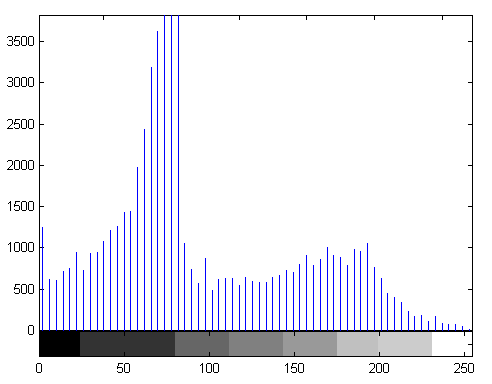
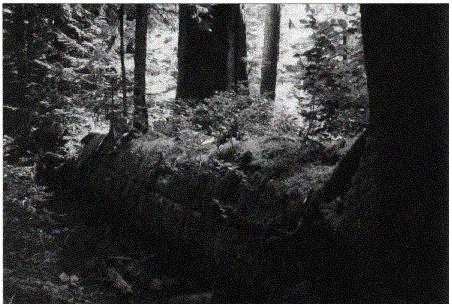
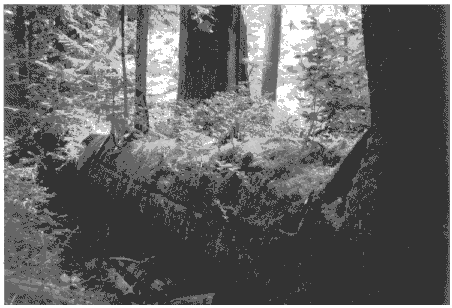
 Gamma Correction                                                                                                                                                                                                                                                                       

 Example  6                                                                                                                                

 The example below illustrates  gamma correction

 Solution                                                                                                                                     

[x,map] = imread('forest.tif');

i = ind2gray(x,map);

j = imadjust(i,[],[],0.5);

imshow(i)

figure, imshow(j)

 Result                                                                                                                                        

 Histogram Equalization                                                                                                                                                                                                                                                                 

 Example  7                                                                                                                                

 This example illustrates using "histeq" to adjust an intensity image.

 Solution                                                                                                                                     

i = imread('pout.tif');

j = histeq(i);

imshow(i)

figure, imshow(j)

figure, imhist(i)

figure, imhist(j)

 Result                                                                                                                                        

 Histogram Equalization                                                                                                                                                                                                                                                                 

 Example  8                                                                                                                                

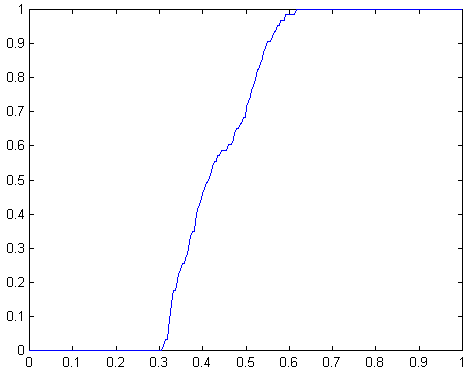
 Plot above data to get the transformation curve..

 Solution                                                                                                                                     

i = imread('pout.tif');

[j,t] = histeq(i);

plot((0:255)/255,t);

 Result                                                                                                                                        


 Task #1                                                                                                                                    

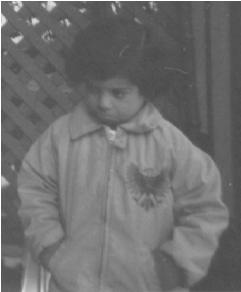
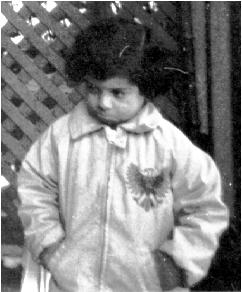
1) Take your image, get the pixel values at various places especially center, top left and right corner, and bottom left and right corners.

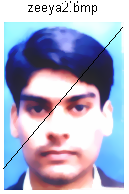
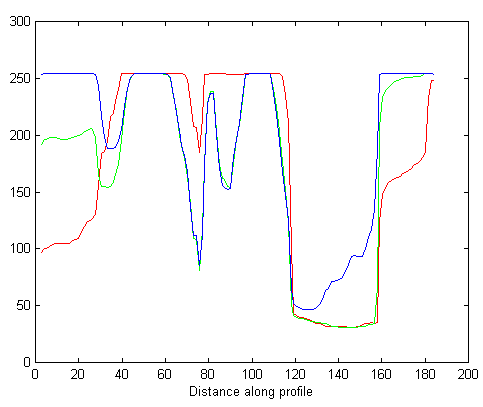
2) Take profile along diagonal. And explain results.

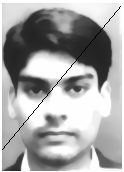
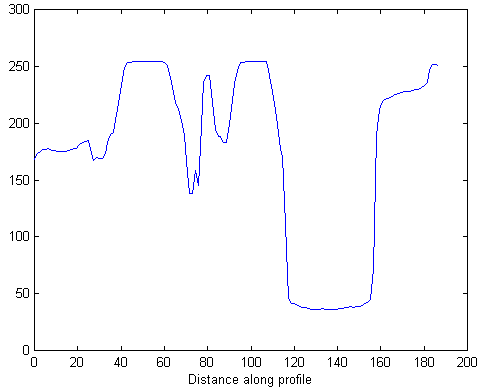
3) Now make grayscale image and take profile along diagonal compare results with 2.

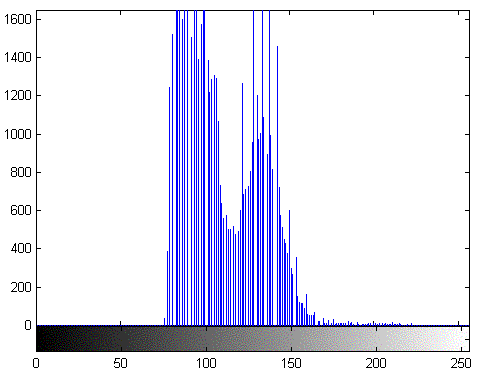
4) Take Histogram of your image and conclude results from it whether it's a good or bad contrast image.

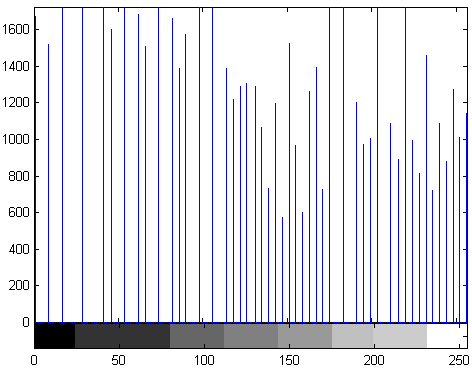
5) If it is good contrast, make it bad contrast or vice versa.

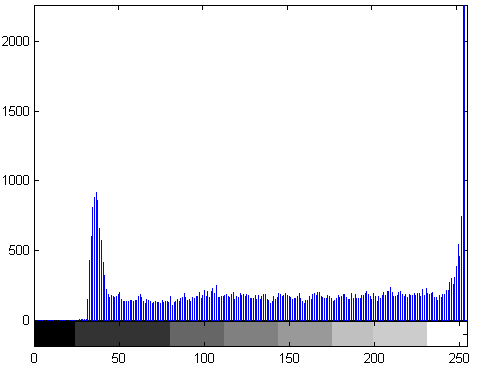
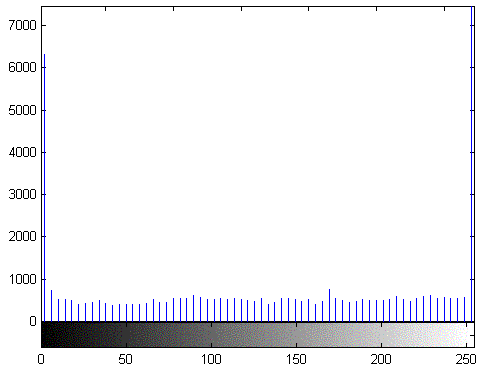
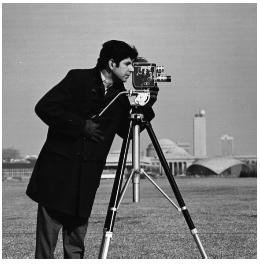
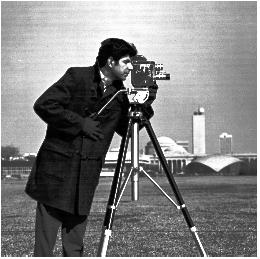
6) Perform histogram equalization on camerman.tif and compare results with example shown in lab.

7) Perform histogram equalization on your image and conclude results w.r.t 4.

 Solution                                                                                                                                     

%  part (1)

imshow zeeya2.bmp;

vals = impixel


% part (2)

imshow zeeya2.bmp;

improfile;


% part (3)

i = imread('zeeya2.bmp');

j = rgb2gray(i);

imshow(j)

improfile;


% part (4)

clear all

i = imread('zeeya2.bmp');

imshow(i)

figure, imhist(j)


% part (5 )

i = imread('zeeya2.bmp');

j = imadjust(i,[0.15 0.9],[0 1]);

imshow(j);

figure, imhist(j,64)


% part (6)

i = imread('cameraman.tif');

imshow(i)

j = histeq(i);

figure, imshow(j)

figure, imhist(i)

figure, imhist(j)


% part (7)

i = imread('zeeya2.bmp');

imshow(i)

j = histeq(i);

figure, imshow(j)

figure, imhist(j)

 Result                                                                                                                                        

 Part (1)

vals =

254  254  254
249  181 197
254  207  208
47    69   175
225 141  144
33   38     23
32   33    123
120  77   117
250 172  170
102 184   254

 Part (2)

 Part (3)

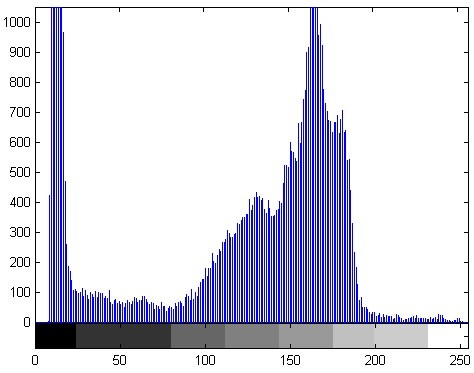
 Part (4)

Comments: We can say this image as  low contrast image because histogram does not show values below 25.

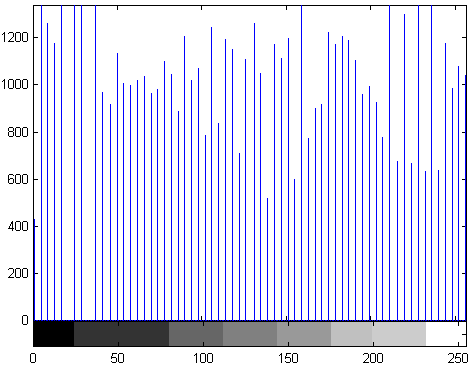
 Part (5)


 Part (6)

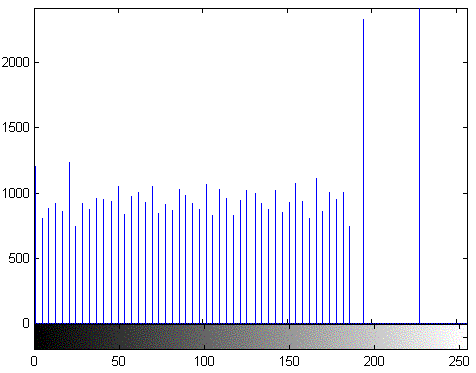
 Part (7)


comments:- comparing with part four original picture looks good, histogram equalization is not suitable here.

 HELP                                                                                                                                       

 IND2GRAY                                                                                                                             

 IND2GRAY Convert indexed image to intensity image.

I = IND2GRAY(X,MAP) converts the image X with colormap MAPto an intensity image I. IND2GRAY removes the hue and saturation information while retaining the luminance.
Class Support
X can be of class uint8, uint16, or double. I is of class double.
Example
load trees
I = ind2gray(X,map);
imshow(X,map), figure, imshow(I)

 IMHIST                                                                                                                                   
IMHIST Display histogram of image data.
IMHIST(I,N) displays a histogram with N bins for the intensity image I above a grayscale colorbar of length N. If you omit the argument, IMHIST uses a default value of N=256 if I is a grayscale image, or N=2 if I is a binary image.
IMHIST(X,MAP) displays a histogram for the indexed image X. This histogram shows the distribution of pixel values above a colorbar of the colormap MAP. The colormap must be at least as long as the largest index in X. The histogram has one bin for each entry in the colormap.
[COUNTS,X] = imhist(...) returns the histogram counts in COUNTS and the bin locations in X so that stem(X,COUNTS) shows the histogram. For indexed images, it returns the histogram counts for each colormap entry; the length of COUNTS is the same as the length of the colormap.
 

Class Support
The input image can be of class uint8, uint16, or double.

Note
For intensity images, the N bins of the histogram are each half-open intervals of width A/(N-1). In particular, the p-th bin is the half-open interval:
A*(p-1.5)/(N-1) <= x < A*(p-0.5)/(N-1)
The scale factor A depends on the image class. A is 1 if the intensity image is double; A is 255 if the intensity
image is uint8; and A is 65535 if the intensity image is uint16.

Example

I = imread('pout.tif');
imhist(I)


                         CV Lab 1   CV Lab2   CV Lab 3   CV Lab4   CV Lab 5   CV Lab 6   CV Lab7  CV Lab8     Other material


                                                                                                                   <<Home
  
Ziauddin Siddiqui, B02ME CSN 07, Mehran University Of Engineering & Technology
Jamshoro, Sindh.
Email. [email protected]

1