

USENET (THE NEWSGROUPS)


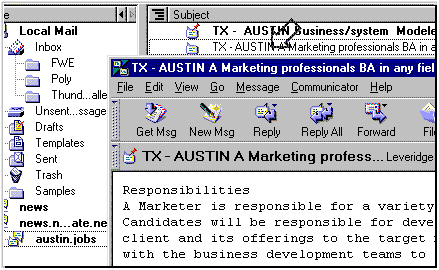
  • Click the Newsgroups button on the Communicator component bar to open the Message Center window.


  • Click the plus sign (+, in Windows) or the expander arrow (triangle, in Macintosh) to the left of the name of a news server to see the list of newsgroups you have subscribed to on that server.
  • Double-click an entry in your newsgroup list to display the newsgroup's messages in the message list window.
  • To read a message, click the message header in the message list window. The message will appear in the Message pane; double-click the message header to view it in a new window.
  • NEXT...

    (information provided courtesy of Netscape)


     • HOME
     • INDEX PAGE
     • QUICK WEB LINKS
     • WEB DESIGN
     • Browsing Introduction
     • Search Engines
     • Keyboard Shortcuts
     • Computer Viruses
     • The Lovebug Virus
     • What Is A Trojan Horse?
     • What Is Netbus?
     • MP3 Music
     • Real Audio
     • Web TV
     • Watching Videos
     • IRC Chat
     • ICQ Chat
     • Newsgroups
     • Compression & Archiving
     • Internet Pornography
     • Objectionable in NZ
     • Filtering Software
     • Email Stationery
     • Contact Details
     • EMAIL ME
    Hosted by www.Geocities.ws

    1