Check Your Progress
Activity 1
Match the Font Group command icon with its name. Type in the letter of the correct answer inside the textbox.
Activity 2
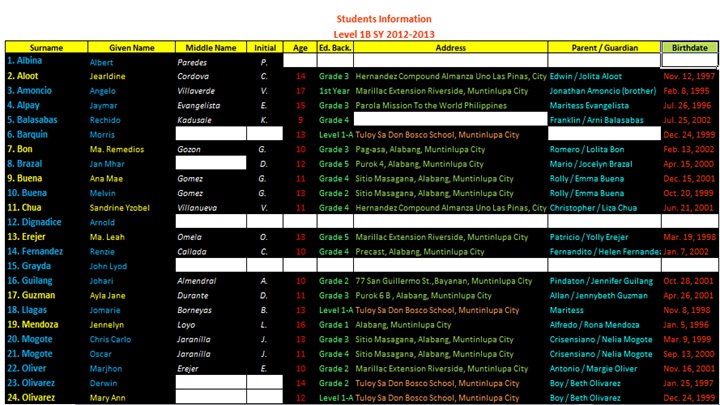
Create a file considering the example below by applying the Font Group Commands. Use the information you can gather about your classmates.