|
To pick components from a
group of objects, see Picking
Components on page 152
|
How to Use
-
1
-
Select Object from the Pick palette menu, or click the icon shown above.
-
The system prompts:
-
Use mouse or enter name of item to pick/
unpick: [Left Toggle][Middle Replace][Right
Remove]
-
2
-
You can pick text objects, primitives, curves, surfaces, and lights using the keyboard or the mouse.
-
Objects can be picked by:
- typing an object's name at the keyboard.
- clicking the mouse on the object.
- selecting the objects from the SBD window.
- clicking and dragging to draw a pick box around a number of objects.
Notes
- CVs, edit points, templates, curves on surfaces, and hulls cannot be picked using this function.
- If objects have been grouped, picking any item in the group picks the whole group.
- To selectively pick objects from within a group, use Pick > Component.
Pick Object Options
Select Pick > Object- to display the Pick Object Options box. to display the Pick Object Options box.
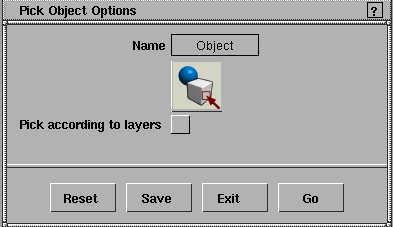
Pick according to layers
-
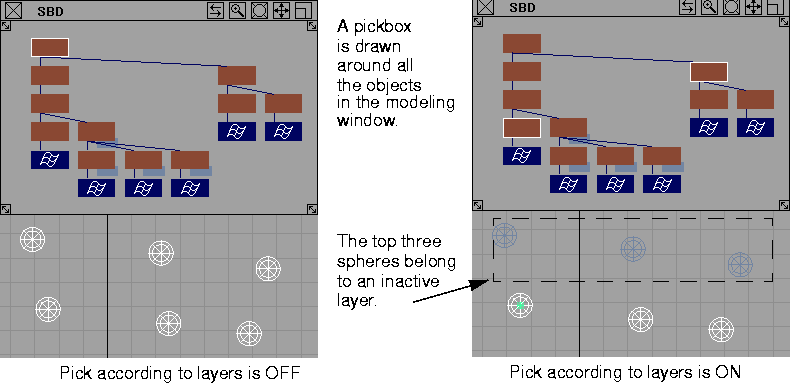
- If this option is toggled ON
(indicated by a check mark), objects belonging to inactive or reference layers are not picked when they are grouped below the selected object(s) in the DAG hierarchy. The system examines the selected dag nodes, and if any of their descendants are on an unpickable layer, it de-selects the original node(s), selects all the pickable nodes on the level below, and continues this process until all descendants of all selected dag nodes are found to be pickable.
-
- By default, Pick according to layers is toggled OFF, and Pick > Object
ignores layer state attributes.
|