Very Generic UVMapping with Wings3d (98.12)

To apply our texture we need to re-enter UV Mapping Mode. The steps are exactully the same as outlined in STEP 2, only this time we get a new popup dialog box.
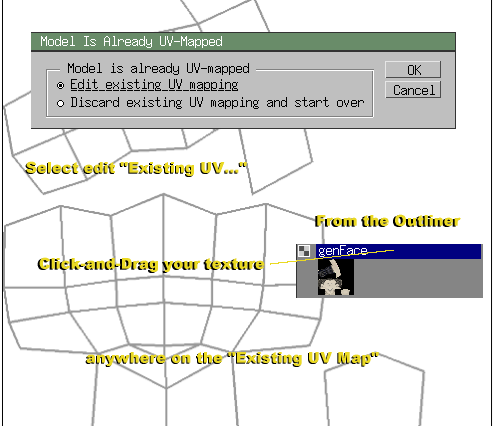
UV_12 (47K)

12. With our existing (blank) UV Map opened, all we need to do now is Click-and-Drag our textured image for the Outliner over the blank UV Map. Once your over somewhere you can drop the image a little "Fist Icon" is made. Release, and your texture is applied imeditally.

Click on the "x" , and do the same as you did on STEP 9


STEPS: 1 2 3 4 5 6 7 8 9 10 11 12 13
Hosted by www.Geocities.ws

1