Very Generic UVMapping with Wings3d (98.12)
Time to import our image back into Wings so we can apply our texture.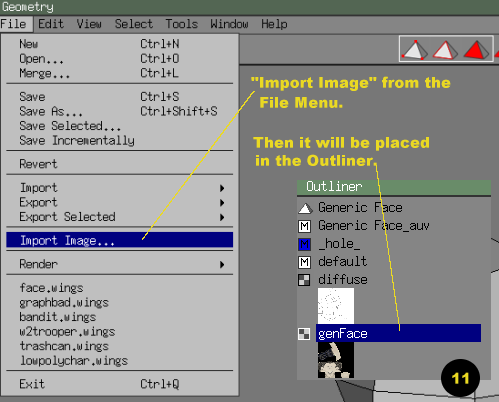
Image format and number of colors have changed for time to time, but I believe .tga will always work for UV Mapping. You can import other image file formats, such as .jpg, and .bmp, but thier capabilities are limited (Might have chnaged).