Assignment 2 : "Designing a Virtual Community - which way to go"
Virtual Community for Certified Accountants-To-Be

Plans

Prototype Design
Designing the prototype should confirmed to the community's aims and purposes. The prototype has to be designed in a simple and user-friendly way. It is preferable to have a function tool bar which is location at the top, left or right side of every webpage, so users can access to any webpage easily. And, the general search engine's text box would be allocated at the most noticeable position in the function tool bar of every webpage for users convenience.
Features and functions placed in the webpage should not give a confusing impression to the users, and the name of each function should be simple and easily understood. Colours which is choose in designing should be simple and catchy that will attract users' attention and give a good friendly feeling. Take note that the design of the webpage and name of the functions should be standardised so that it would not puzzle users while they browsing through the community.
Prototype Implementation
In order to explain the implementation of the prototype more clearly, there would be picture sample to illustrate each functions:-
Registration Process
(Source: https://register.passport.net/)
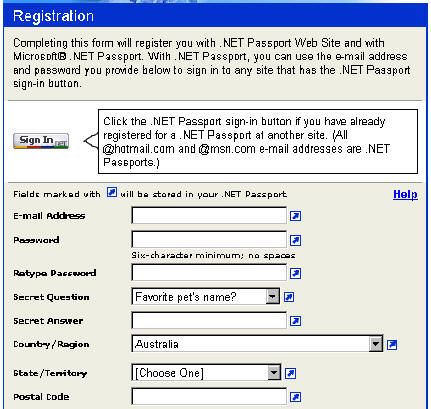
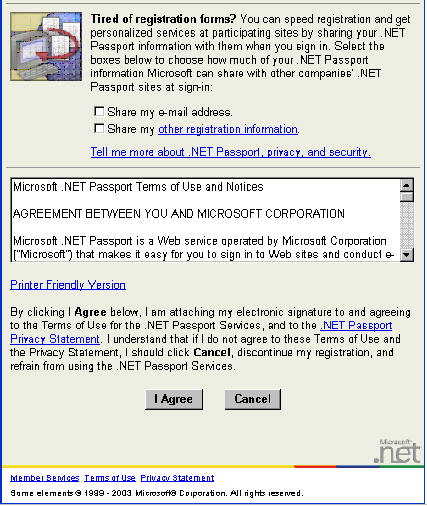
This sample shows that only the relative details that is needed to record will be ask to input in the process. There would be mandatory and non-mandatory fields. Mandatory fields should be marked in red stars like ‘ *** ’ as the side, so that people would take notice of importance of filling up that field. And also, there should be a section of the agreements terms and notice for members-to-be to take note of before letting the registration process proceed.
Discussion Forums
(Source: http://forum.snitz.com/forum/)
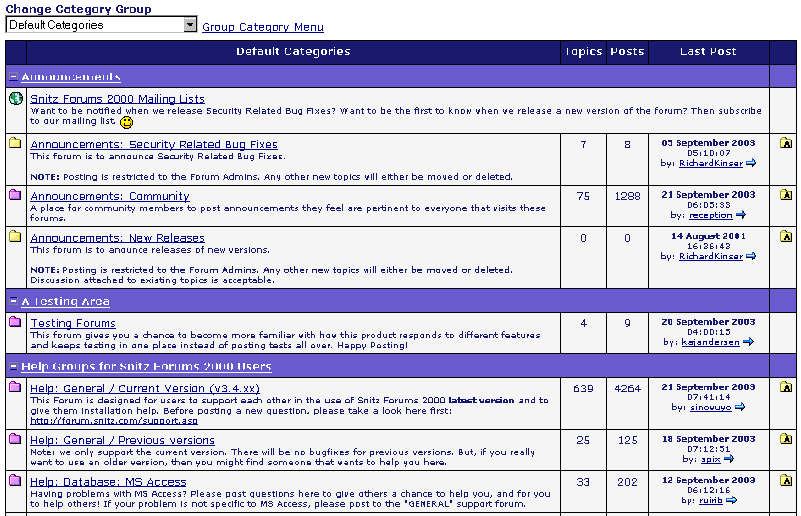
From the above sample of the discussion forums, it shows that all the discussion topics are properly categorized. It would show the total number of messages that has already posted by the members, and who and when the last message was posted. Users would able to retrieve the discussion messages by on the title.
Chat Rooms
(Source: UTS Online Virtual Classroom)
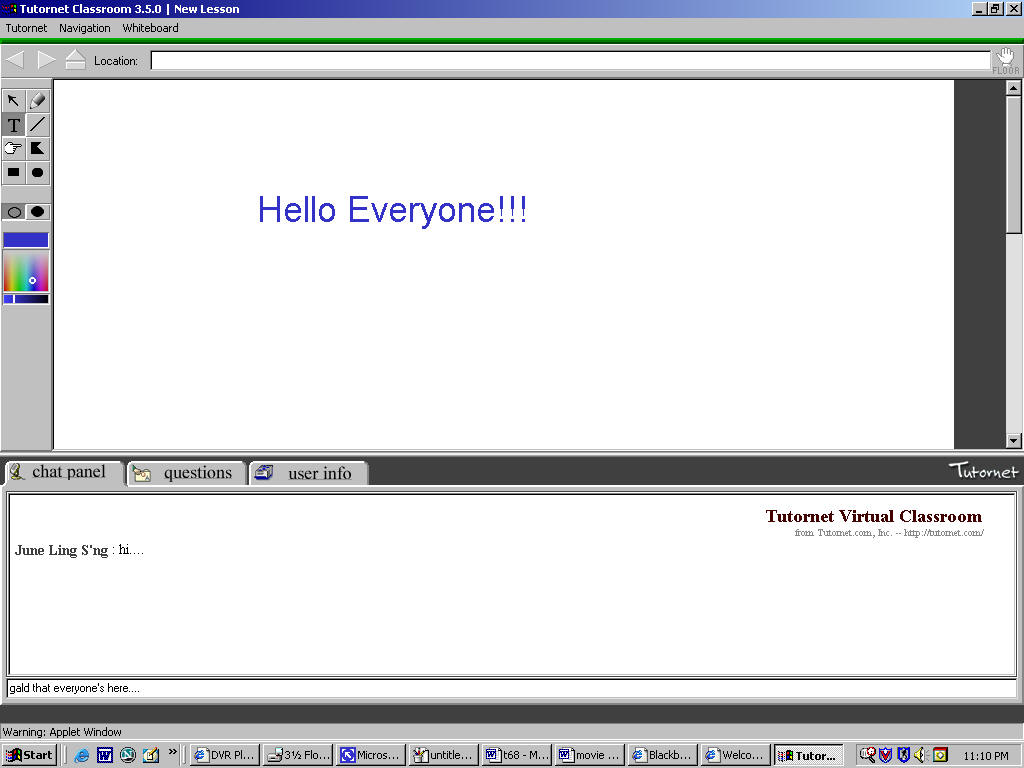
The sample of the chat room shows that the posted conversation would be shown on the above conversation history screen. Therefore, it would allow people to follow through the conversation topic more easily, as they could browse through the chat history easily. The chat room implementation should have multiple chat room tasking and a user online bar that shows whoever is online. Functions of having the flexibility of joining other chat rooms and inviting people from other chat room would be preferable.
Mailing List Notification
(Source: http://www.lsoft.com/products/default.asp?item=listserv-features)
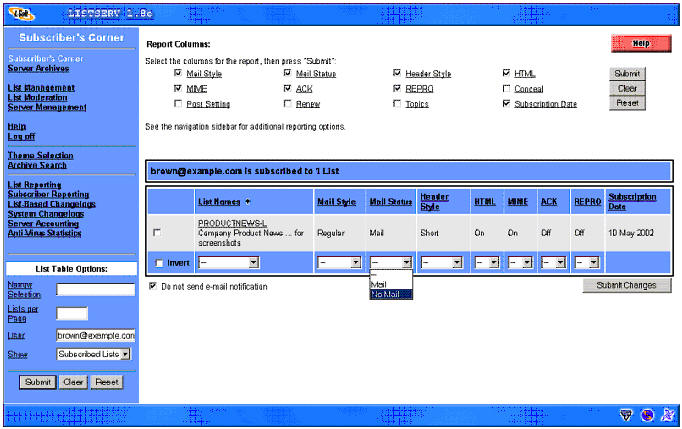
As shown in the sample of the mailing list, it has functions to moderate the mails send to the members. They would have the ability to change the mailing style and status, and also have delivery notification, and etc. Therefore, it would help the administrator to amend its mailing list function. For example, if a member chooses not to receive any mails from the community in the future, the task would be able to achieve easily by changing the function for the member in the mailing list program.
Search Engine System
There are three types of search engines in the community website - website search engine, job search engine, and mentor search engine. Each implementation of the search engines would be examined below:-
Website Search Engine
(Source: UTS Online)
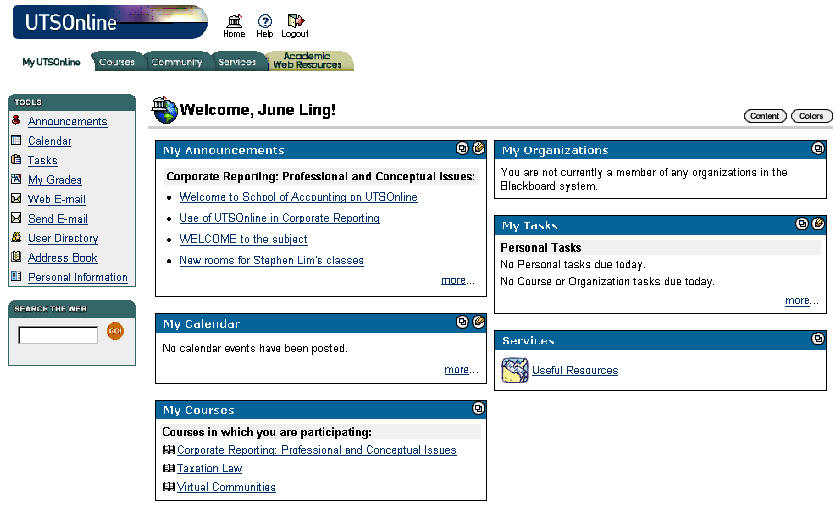
This search engine is for general web search only, which need to be located in a easy to allocate position in the web pages, such as shown above in the UTS Online website. It functions by entering a word or a phrase in the search engine input box, and the search engine system would retrieve the web pages with the matching results. The closest match to the search item should be listed at the first 10 searched results, to the least relevant.
Job Search Engine & Mentor Search Engine
(Source: http://www.jobsearch.gov.au/)
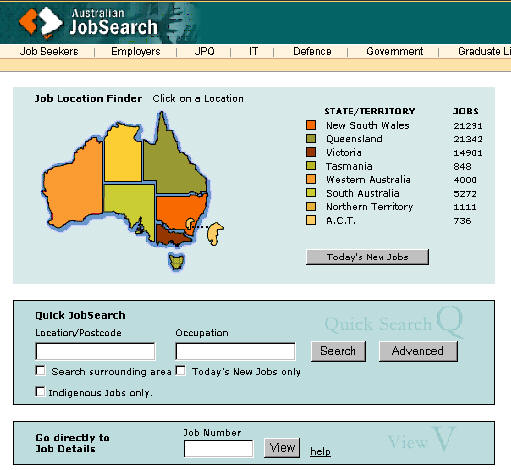
As both of the job search engine and mentor search engine function similarly, it would be discussed together. As shown in the above sample, an Australian map would be shown in the web page to allow people to search a job or mentor according to the location desired. Thus, the location of the map would be divided in states or territory, so people would click on the particular states to find a job or mentor. There should also be a list of check boxes (which is not shown in the sample) to let people to 'check' on in order to choose the multiple locations.
Prototype Testing
Design Evaluating and Tuning
This phrase of the prototype should consider as the most important phrase implementation team shall never disregard this phrase nor take it lightly. Making sure all the functions that could function properly before marketing it in the Internet is very crucial.
A test case document is recommended to be written in detail so that the entire website’s system could be tested properly in all types of environment. It is best to have a large number of people testing out the implementation of the website first before promoting it to the web as problems are more likely to occur when it is used by large number of users. The testing of the prototype should be followed up closely so that any problems that occur could be detected and amended more precisely.
| Introduction | Community Areas | Community Needs | Aspect Assessment | Technologies Proposed |
| Plans | Strategies | References |