Step 8:
The End
Now that you've finished setting up mIRC, the next time you turn it on (and all the times after that) it will automatically connect and join for you. No need to type or click anything until you've joined the channel, where you can start chatting with anyone in there. For now though, mIRC is still on, but not connected to the channel you want.
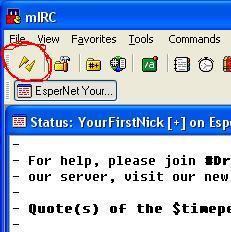
If you look at the top left corner of the toolbar, you'll notice that the lightning bolt is still broken, indicating that you're still connected. Click it once to disconnect from the server, and again to reconnect. This time, mIRC will join the channel as well. Congratulations, you're finished.
Now for the notes. As you continue to use IRC, you will learn that there's more to IRC and mIRC than just chatting and these few options. Forming channels, moderating channels, sending and receiving files, etc. are some things that can be done on IRC. So go try new things, learn things and enjoy yourself. Good luck!