Step 5:
Adding a channel
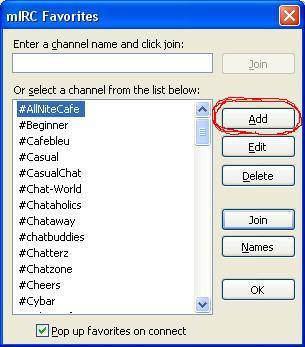
A dialog named "mIRC Favourites" will pop-up. Simply click the 'Add' button to start adding a new channel.
Go on to Step 6.
A dialog named "mIRC Favourites" will pop-up. Simply click the 'Add' button to start adding a new channel.
Go on to Step 6.