Step 2:
Choosing the server
For the purpose of this tutorial, we will use the Espernet irc network and the channel #nro.dev as the target autojoin server and channel. If you wish to autojoin a different network and channel, simply substitute them into the appropriate places.
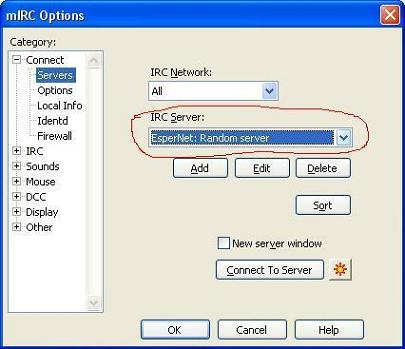
Select 'Server' under 'Connect' on the tree to the left side of the options dialog. Then, click the drop down list indicated in the image (the one labelled "IRC Server") and scroll down until you see "EsperNet: Random Server". Select that.
Once you're done, go on to Step 3.