Step 3:
Connection options
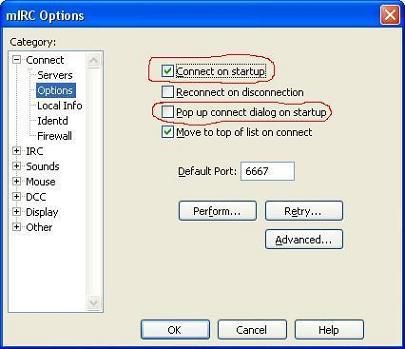
Select 'Options' under 'Connect' on the tree to the left side of the options dialog. Now, check the option that says 'Connect on startup' and un-check the option that says 'Pop-up connect dialog on startup'. Doing this will make mIRC automatically connect to the server you selected back in Step 2, and it will stop the client from displaying the options dialog every time you turn it on. After you're done, press the 'OK' button at the bottom to close the dialog.
Finished? Go on to Step 4.