Step 1:
Setting up your name
If you haven't already done so, go to http://www.mirc.com to download mIRC. If you need instructions on how to install it, there is a section on the mIRC site entitled "How to Install mIRC" that will guide you through the installation.
Now, turn on mIRC. Wait and then click past the trial period prompt. Since it's the first time you've used it, an options dialog will pop up. It will look like the one below.
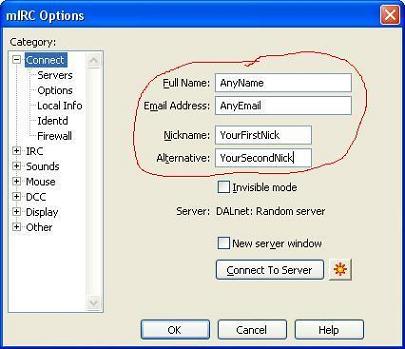
The circled fields: Name, Email, Nickname and Alternative, are the ones that you need to fill in. Do note that you do not need to put in your real name and your real email, unless you truly want to. The nickname field is where you put the name that you will appear to others as, and that you will 'speak' from. Please choose an appropriate name that will represent yourself well. The 'Alternative' field is where you put a second nickname. This nickname will be used in case someone connected to the irc network already has your first nickname.
After you're finished filling out the fields, proceed to Step 2.