VisualBASIC Resources
|
Home | About | VB Tutorials | Programming Basics | VCE & Teacher�s Resources |
||
|
|
||
|
|
|
Programming Basics
An Example
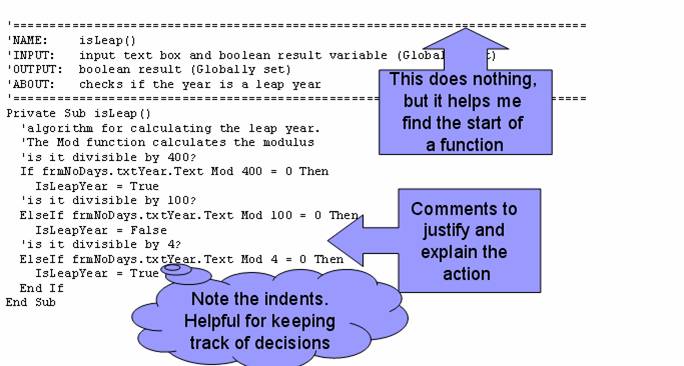
The following diagram is an example of code written in Visual Basic 6.0.� Note the comments at the start of the function that indicate the name, input, output and purpose.� The line above and below the comments is unnecessary, but it visually helps identify the beginning of a function.� Each comment begins with a single quote (�).� Some programming environments colour words according to what their purpose is, so often, if you write a comment it appears in a different colour to differentiate it from active code.
|
|
|
||