|
Anim > View frame |
Viewing Individual Frames of Animation | ||
|
| |||
|
|
View frame lets you view one or more frames of previously created animation. You can set View frame to walk through a list of key times and see what the key steps look like. Use View frame to view any number of frames. When viewing more than one frame, there is a short pause between each frame that is displayed. How to Use
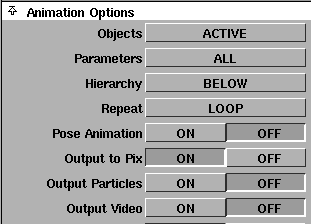
The current time is updated to the last frame that was viewed and is displayed in the current application window, as well as in the Time slider (Animation > Tgl time slider) and the Action Window (Animation > Action window). Although this function does not have an option box, it uses the Objects, Parameters, and Hierarchy options from Animation Options in the Playback Options window.
To view or change these options, select Animation > Playback options and click the arrow beside Animation Options to display that section of the window. | ||
|
For more information, see Animation > Playback options on page 81. |
>
|
| Copyright © 1998, Alias|Wavefront, a division of Silicon Graphics Limited. All rights reserved. | Please send questions or comments regarding the documentation to: [email protected] |