|
Edit > IKHandles on/ off |
Turning IK Handles On and Off | ||
|
| |||
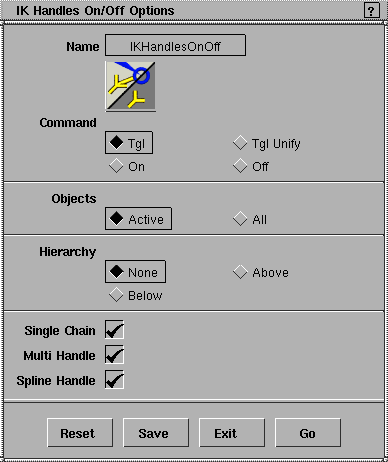
Turns on or off IK handles so that they become enabled or disabled. This function makes it easier to turn on or turn off a group of IK handles. For example, you can toggle states of all existing IK handles without picking any of them; set a group of active IK handles to be the same state; make changes only on the selected types of IK handles (say, only single-chain IK handles); or make changes only on the IK handles of your picked skeletons. | |||
When an IK handle is OFF, it behaves as if it does not exist. An individual IK handle can be turned ON or OFF from the Information window. How to UseIK Handles On/Off Options
Select Edit > IKHandles on/off-
Tgl
Tgl Unify
On
Off
ObjectsActive
All
HierarchyNone
Above
Below
Both
Single ChainIf set OFF, no Single-Chain IK handles will be changed. Multi HandleIf set OFF, no Multi-Chain IK handles will be changed. Spline HandleIf set OFF, no Spline handles will be changed. >
|
| Copyright © 1998, Alias|Wavefront, a division of Silicon Graphics Limited. All rights reserved. | Please send questions or comments regarding the documentation to: [email protected] |
 to open the IK Handles On/Off option box: