|
|
-
1
-
Create a skeleton using Objects > Draw skeleton.
-
2
-
Add an IK handle using Objects > Add IK handle. (You'll be prompted to select a root joint and then an end-effector.)
-
3
-
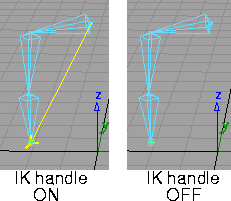
To turn off the display of IK handles, select DisplayTgls > IK handles. To turn the display back on, select the function again.
Toggle IK Handles Options
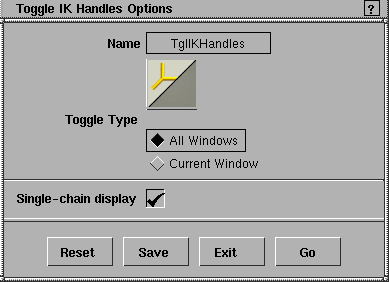
Select DisplayTgls > IK handles - to use the Toggle IK Handles Options window. to use the Toggle IK Handles Options window.
Toggle Type
All Windows
-
- The display of IK handles is toggled for all windows.
Current Window
-
- The display of IK handles is only toggled for the current window. The current window is the one that has three asterisks (***) in its title bar. To make a window current, click on its title bar or in the window itself.
Single-chain display
-
- Toggles the display of the single-chain handle control information (that is, the plane indicator, the pole axis, and so on).
-
- This control information can only be seen when the Control Type for a handle is either Plane Rotation or Plane/Pole Rotation in the Information Window.
|


