|

|
How to Use
-
1
-
Add an IK handle by picking two joints (the root first, then the end-effector) using Objects > Add IK handle.
-
2
-
Select Pick > IK handle, or click on its icon.
-
3
-
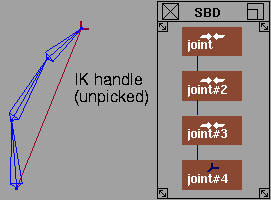
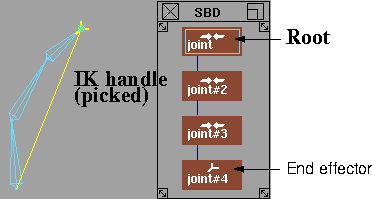
Click the IK handle to make it active. The following shows how the IK handle appears in a modeling view and in the SBD window.
-
4
-
Once and IK handle is picked, you can view and edit information on it in the Information Window
and the Skeleton Editor.
|


