Part 2


Choose one of color`s chart. In this tutorial I used the first one:


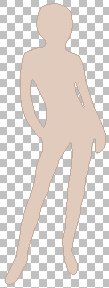
7. Choose Magic Wand (Tolerance = 25) and select the arear inside the silhouette. 

Selection/Modify/Expand. Number of pixels = 2.

Flood the selection with the most dark color from the color`s chart, in this case - #C3A99A.


8. Selection/Modify/Contract. Number of pixels = 1.

Flood the selection with the most light color from the chart, in this case - #E1CBBD. Deselect.


9. Selections/Select All.  Selections/Float.


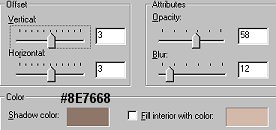
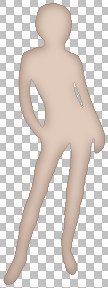
Effects/3D Effects/Cutout. Apply the folowing settings:


Effects/3D Effects/Cutout. Apply the same settings except Vertical and Horizontal Offset - change them for -3


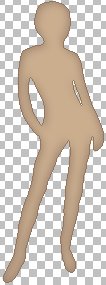
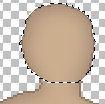
10. My image looks like on the picture below. Tube it.


    or    


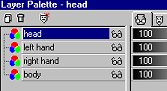
11. My tip: you`d better place hands and the head on the separate layers. Why? If the dress for the doll has long sleeves, the hand must be seen over the dress. Also if the head is on the separate layer, you will be able to place hair beautifully around the head (see "Face and hair" and "Clothes for Doll" tutorials). 


12. To do it: 

Enlarge the image by 2-3 times. Choose Draw tool with settings:

Type: Point to Point

Width = 1

Antialias and Create as Vector - checked.

Foreground Color - the darkest color from the chart. 

Background Color - the most light color from the chart.


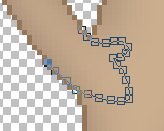
Add new layer "right hand". Draw the hand as an example:


You know that the vector selection can be edited. After you get the required image: Layers/Convert to Raster Layer


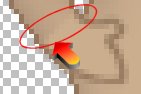
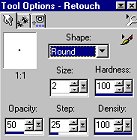
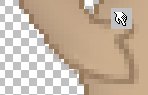
If the dress has not the long sleeves, that to earse the sharp border between arm and hand (while finishing the doll image) you should choose Retouch tool with settings (see left picture) and "spread out" the border slightly. 


Do it for another hand. As for the head - select it, cut and paste as a new layer. then move it to the same place. 

Selection. Edit/Cut. Edit/Paste as New Layer.


Layers Palette will be look like this one: 


Now you can draw face, hair and clothes.


Basebody 1 - 2 | Hair | Face | Clothes


PSP Tutorials


Home


Optimized for resolution 800 õ 600, Internet Explorer 5.0

Graphic and Design:

Country City © Copyright 2002


Hosted by www.Geocities.ws

1