
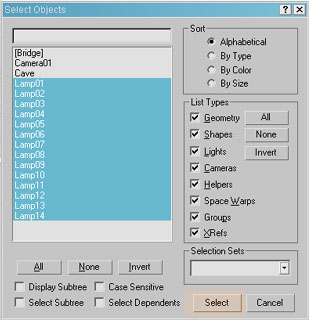
-. Select all the lamp objects in your scene using the select by name dialog box in the main toolbar. (If you downloaded the scene files the lamp objects will be named lamp01 lamp02 lamp03 etc).
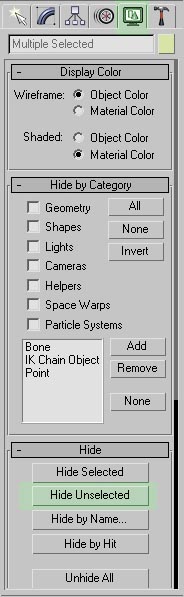
-. With your lamps still selected open the display panel and click the Hide unselected button (this will make light placement allot faster and easier, all the objects except the lamp objects will be temporarily hidden)
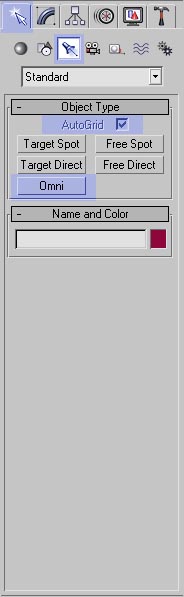
-. Open the creation tab>click on the lights icon>click on the omni button from the list>turn on AutoGrid.
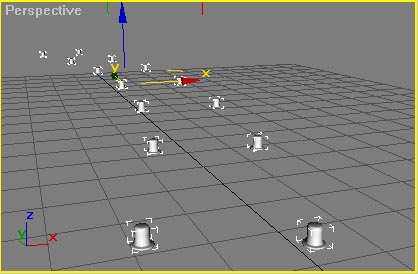
-. Create an omni light on top of each lamp object. In my case I used 14 omni lights.
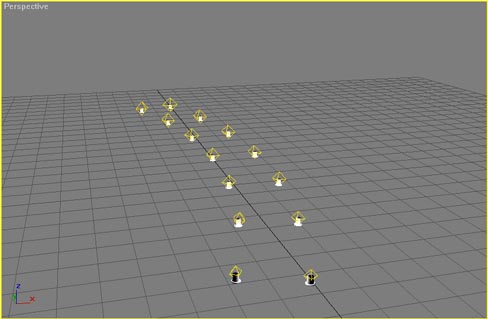
-. Right click to exit out of light creation mode.
-. Select all the newly created lights using the select by name dialog box in the main toolbar. (omni01 omni02 omni03 etc).
-. In the front viewport move the selected lights so there centered within the lamp objects.
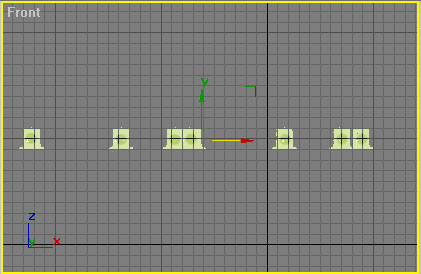

-.Open tools->Light Lister.
-. As you can see from the following image I gave each light different color parameters (most with different yellowish tones and three with light green tones) and multipliers ranging from 0.75 to 1. Make sure you give the three green lighs a value of 0.75.
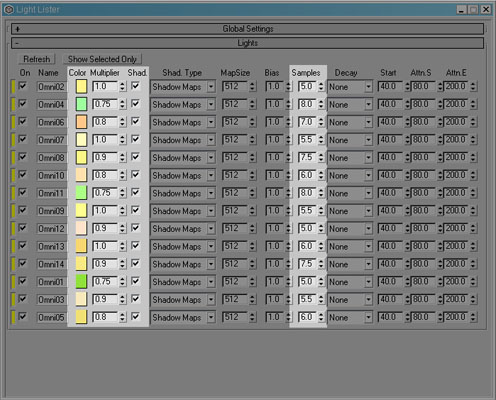
-. Put a check on ‘Shad’ for each light to enable shadows, leave the Shad. Type to shadow maps.
-. Change the samples for each light value at random numbers ranging from 5-8, this will make shadows from some lights softer than shadows from other lights.
Note: Higher sample value= softer shadows Lower sample value=edgier shadows.
-. Close the light lister.
-. Next were going to adjust the attenuation parameters for each light (this will limit the light’s light casting radius, this is one of the most important parts of this setup, enabling this for each light will give your image a feel of multiple light omitting objects), pick any light from the scene. Go to the modify panel, open the attenuation parameters rollout and adjust the parameters as shown in this image.
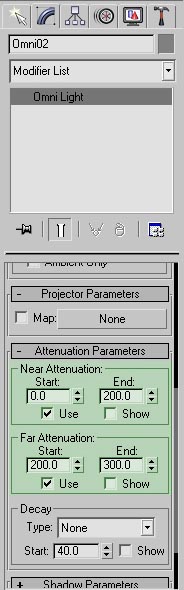
-. Make the same changes for each of the omni lights that you created (Make sure you check use on both near and far attenuation each time you apply this settings to each one of the lights).