|
How To Draw
(thanx to zapchu.com
for the content of this page!)
Do other
artists just ignore you when you ask them "how do you draw
that?". Well, here's the scoop, learn how to draw online at this
section! FREE! If it doesn't work out, send my your failed image and
I'll fix it up and mail it back. See below, for beginners ONLY!
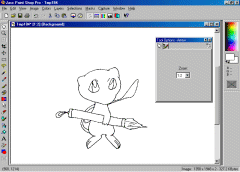
Draw your image on a piece of printer paper. Trace
it in pen and erase any pencil marks. Then scan it. To the right is a
image I scanned. Later on, if you get better, you can draw straight off
of the computer! :)
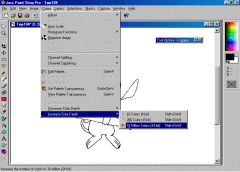
Go to COLORS in the menu on top and select
"increase color depth". The last one in the row as shown in
the screen shot.
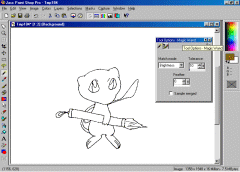
Now, go to the "magic wand" button. It
is the eighth one down. Or, just look for the "wand" shape
icon and click on it.
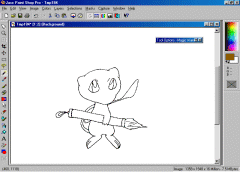
Your cursor SHOULD have turned into a wand shaped
icon. Click on the blank area you want to color in.
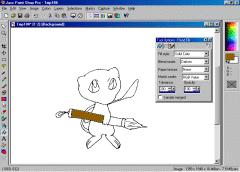
Go to FLOOD FILL button. The little paint bucket
button. Then color in the image selecting the correct colors in the
palette shown in the upper right hand corner.
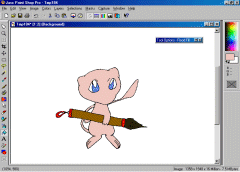
Look! You're down coloring it in. :) Now, you get
to the easy part? Well, it's the easiest part for me.
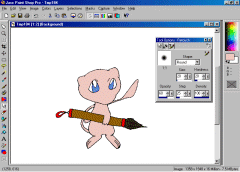
Go to the little pointy finger button. Shown to
the screen shot at the right. It's the one that is above the eraser
button. Select the correct choice as "lightness down" or
something similar in the TOOL OPTIONS window.
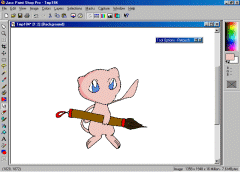
Determine where the light is coming from and shade the image in using
the "retouch" finger cursor. It'll turn into a paintbrush as
you darken the image.
HOW
TO SHADE
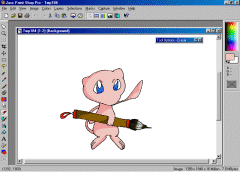
You can set the eraser to 80 % opacity. Then
highlight anything that needs to be highlighted. For example like hair
or armor.
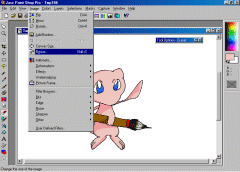
Go to the menu again, then go to
"resize". You must resize it in order for the outline to mix
in with the paints.
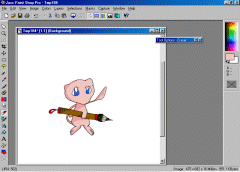
Congratulations! You've got your image! Now cut it
out and paste it in a smaller space.

Display and website! Oh, I just used this Mew image because I though it
was cute! Look how good your image can look with PSP 6.0! You can
download the evaluation version at JASC.
I have the registered version though. It costs $99.99 ;P
|